Best Cloud Storage Solutions: What Actually Works in 2025
Look, I’ve been burned by cloud storage before. Two years ago, I lost about 40GB of project files because I trusted a “free unlimited storage” service that went under with two weeks’ notice. Fun times.
Since then, I’ve tested pretty much every major cloud storage solution out there, and here’s what I’ve learned: picking the right one isn’t about who has the most storage or the lowest price. It’s about what breaks at 2 AM when you need that one file, and which service actually has your back.
Why Cloud Storage Still Matters (Even If You’re Skeptical)
I get it. Some of you are thinking “I’ll just use an external drive.” I thought that too, until my Seagate backup drive died the same week my laptop decided to take a swim in coffee. Zero overlap in timing, maximum chaos.
Cloud storage isn’t perfect, but it solves one massive problem: your files exist somewhere other than your single point of failure. Plus, if you’re working with a team or juggling multiple devices, it’s basically non-negotiable at this point.
The Big Players: What They’re Actually Good At
Google Drive: The Default Choice (For Good Reason)
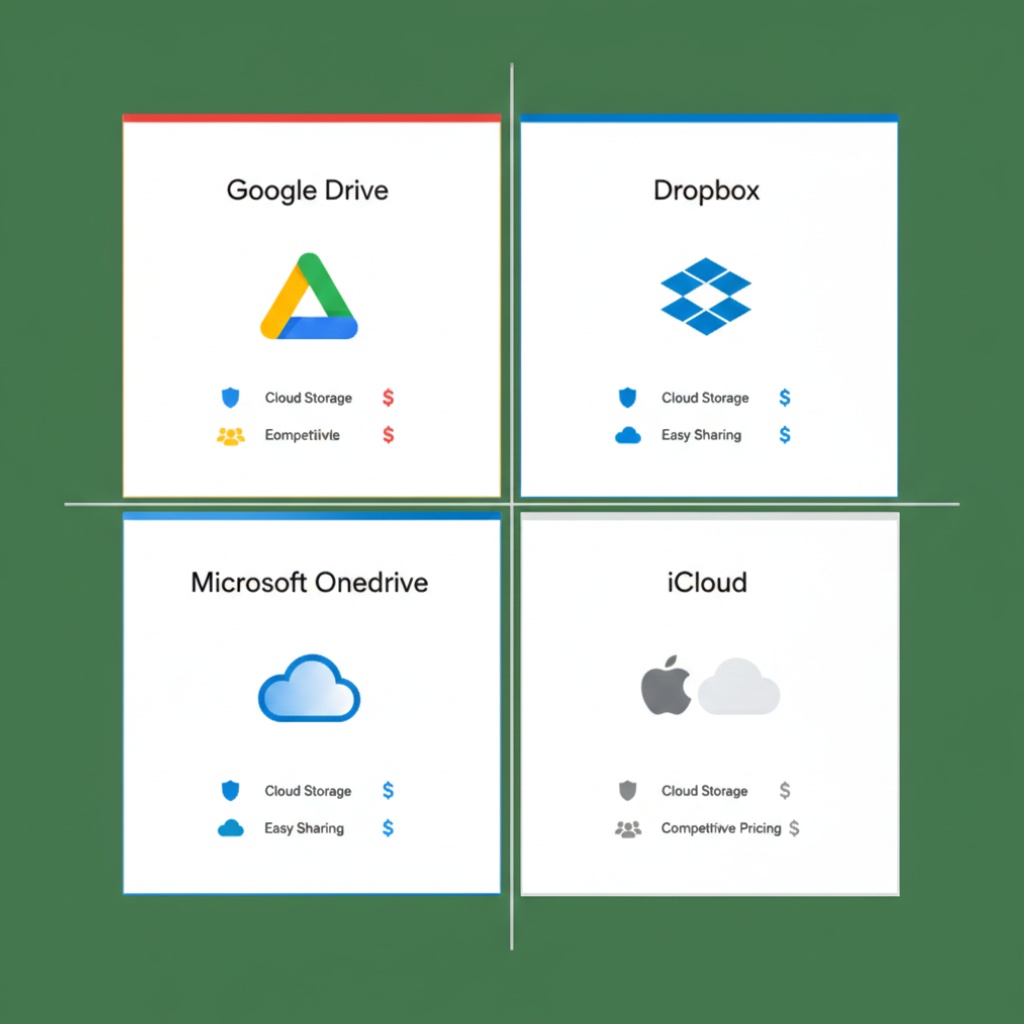
Google Drive is like that reliable friend who shows up on time. Not the most exciting, but you know what you’re getting.
What I like:
- 15GB free tier actually lasts a while if you’re not storing video
- Integration with Google Workspace means your Docs, Sheets, and Slides don’t count against storage
- Search is genuinely good (it’s Google, after all)
- Sharing controls are straightforward
What drives me nuts:
- The desktop app can be a resource hog. I’ve watched it eat 2GB of RAM just sitting there
- Sync conflicts happen more than they should, especially with large files
- If you hit your storage limit, Gmail stops receiving emails. Yes, really.
I use Google Drive for active project files and anything I need to collaborate on. The 100GB plan at $1.99/month is solid if you need more than the free tier.
Best for: Teams using Google Workspace, collaborative documents, general file storage
Dropbox: Still Relevant (Barely)
Dropbox used to be the gold standard. Now? It’s good at specific things, but the free tier of 2GB is laughably small in 2025.
Where it shines:
- Sync speed is genuinely faster than most competitors
- File recovery and version history are excellent (saved my ass when I accidentally deleted an entire folder)
- Smart Sync feature actually works well for managing local storage
The problems:
- Expensive. The Plus plan is $11.99/month for 2TB, which is steep
- The app constantly nags you to upgrade
- Limited free storage makes it hard to recommend to anyone just starting out
I keep Dropbox around for client deliverables because the sync is so reliable, but I’m not storing my whole life there anymore.
Best for: People who need rock-solid sync reliability and don’t mind paying for it
Microsoft OneDrive: Better Than You Think
I ignored OneDrive for years because, well, Microsoft. Then I got an Office 365 subscription and 1TB of storage came with it. Now I’m a reluctant convert.
The good stuff:
- If you already pay for Microsoft 365, you get 1TB per user included
- Integration with Windows is seamless (obviously)
- Personal Vault feature with extra encryption is actually useful
- Office file versioning is excellent
The annoying bits:
- The macOS app is… not great. Sync issues galore
- Folder structure can get weird if you’re syncing across devices
- The web interface feels like it’s stuck in 2018
I use OneDrive as my primary backup for documents since it came with my Office subscription anyway. The Windows integration means everything just works without thinking about it.
Best for: Windows users, Office 365 subscribers, businesses already in the Microsoft ecosystem
iCloud Drive: Great If You’re All-In on Apple
Here’s the thing about iCloud: if you’re using iPhone, iPad, and Mac, it’s almost perfect. If you’re on anything else, forget it.
Why it works (for Apple users):
- Seamless integration across all Apple devices
- Photos sync is genuinely excellent
- 5GB free, and storage tiers are reasonably priced
- Desktop folder sync on Mac works smoothly
The dealbreakers:
- Windows app exists but it’s painful
- No Linux support at all
- Sharing with non-Apple users is clunky
- File organization feels limited compared to others
I use iCloud for photos and iOS backups exclusively. For everything else, I want something that plays nice with other platforms.
Best for: People living entirely in the Apple ecosystem
Mega: Privacy-Focused (With Caveats)
Mega gives you 20GB free with end-to-end encryption. Sounds great, right? It is, but there are quirks.
The selling points:
- 20GB free storage (legit the most generous free tier)
- End-to-end encryption by default
- No scanning of your files (unlike Google/Microsoft)
- Desktop and mobile apps work well
The catches:
- Upload/download limits on free tier can be annoying
- Company has a… complicated history
- Interface isn’t as polished as competitors
- Sharing large files requires recipients to have Mega
I use Mega for backup storage of things I don’t need constant access to. The free tier is too good to ignore.
Best for: Privacy-conscious users, people needing generous free storage
The Specialized Players Worth Knowing

pCloud: Lifetime Plans That Actually Make Sense
pCloud offers lifetime storage plans. Pay once, storage forever. I bought the 500GB lifetime plan two years ago for $175 during a sale. No monthly fees since.
Sync is reliable, apps work well, and the client-side encryption add-on (pCloud Crypto) is solid if you need extra security. The upfront cost stings, but if you’re going to use cloud storage for years anyway, the math works out.
Sync.com: Privacy Without the Compromises
Zero-knowledge encryption with a clean interface. It’s like Dropbox but they can’t see your files even if they wanted to. Free tier is only 5GB, but paid plans ($8/month for 2TB) are competitive.
The sync speed isn’t as fast as Dropbox, but the privacy features are real, not marketing fluff.
What I Actually Use (And Why)

Here’s my current setup:
Google Drive (100GB paid): Active projects, collaborative docs, anything I need to share frequently
OneDrive (1TB, included with Office 365): Primary backup for all documents, automatic Windows folder backup
Mega (20GB free): Secondary backup for important files I rarely access
External SSD: Weekly backups of everything critical, kept unplugged
Yeah, I’m using three cloud services. Redundancy matters when you’ve lost files before.
How to Choose the Right One for You
Stop overthinking it. Ask yourself these questions:
What ecosystem are you in?
- All Apple? Use iCloud
- Windows + Office 365? OneDrive is already included
- Mixed devices? Google Drive or Dropbox
How much do you need to store?
- Under 15GB? Google Drive free tier
- Under 20GB? Mega free tier
- Over 1TB? Look at paid plans or lifetime options like pCloud
Do you care about privacy?
- A lot? Mega, Sync.com, or pCloud with crypto
- Not really? Any major provider is fine
What’s your budget?
- $0: Google Drive or Mega free tiers
- $2-5/month: Google Drive or OneDrive personal plans
- $10+/month: Dropbox or business-tier plans
- Hate subscriptions? pCloud lifetime
The Mistakes I See People Make
Relying on just one backup location. Cloud storage is not backup. It’s sync. If you delete something and it syncs, it’s gone from the cloud too (unless you catch it in version history).
Ignoring encryption. If you’re storing sensitive stuff, at least use a service with good encryption. Or encrypt files yourself before uploading.
Not testing recovery. Download a file from your cloud storage right now. Can you do it? Do you remember your password? Know where your two-factor recovery codes are? Test it before you need it desperately.
Filling up storage with photos. Photos are huge. Use Google Photos or iCloud Photos for photo backup, not general cloud storage. Your 100GB will thank you.
Final Take
There’s no single “best” cloud storage solution. Google Drive is the safe, boring choice that works for most people. OneDrive is great if you’re already paying for Office. Dropbox is reliable but pricey. iCloud is perfect for Apple users. Mega is generous with free storage.
I’d start with Google Drive’s free tier and see how it fits your workflow. If you need more space or better features, upgrade or add a second service. Most importantly, actually use whatever you choose. The best cloud storage is the one you’ll actually maintain and remember exists when your hard drive dies.
And for the love of all that is holy, keep important files in more than one place. Cloud storage plus local backup. Trust me on this one.
Related: This article is part of our comprehensive guide on Software, Apps, and Productivity Tools. For more productivity insights, check out the full guide.
You might also find these helpful:
- Best Productivity Apps 2025 – Discover tools to organize your work and life
- Collaboration Tools for Remote Work – How teams share files and work together
- File Organization Apps – Keep your cloud storage organized
- Cloud vs Local Productivity Apps – When cloud storage makes sense vs local solutions