
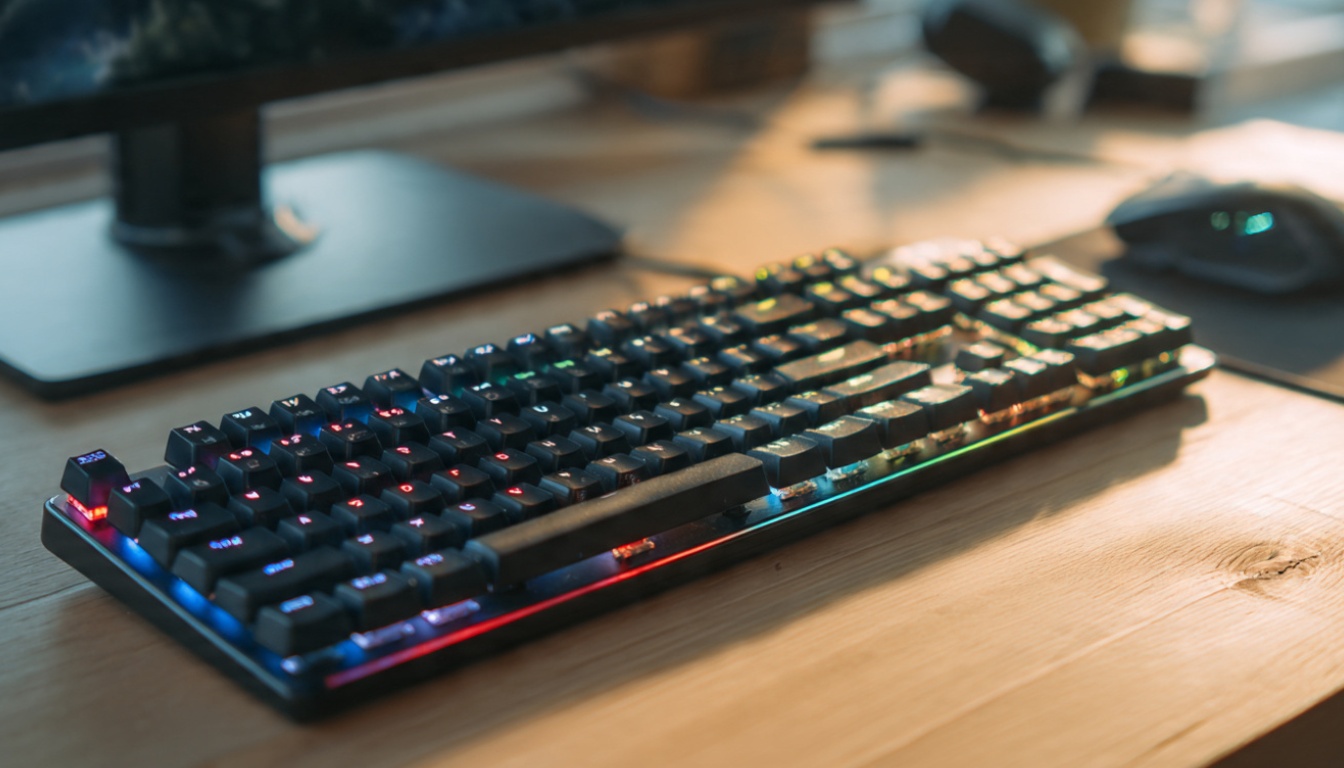
Best Mechanical Keyboards: What Nobody Tells You Before You Spend $200
Look, I’ve wasted more money on keyboards than I’d like to admit. Five different mechanical keyboards in three years. Yeah, I have a problem.
But here’s the thing: most keyboard reviews are written by people who’ve never actually coded for 8 hours straight or spent a weekend grinding ranked matches. They’ll tell you about actuation force and travel distance, but they won’t tell you that your wrists will hate you after two weeks with the wrong switch type.
So let me save you some money and regret.
Why I Switched to Mechanical (And Why You Might Not Need To)
Three years ago, I was perfectly happy with my $15 membrane keyboard from Amazon. Then a coworker brought in his clicky blue switch keyboard, and suddenly my rubber dome felt like typing on a wet sponge.
I bought the same keyboard he had. Returned it in four days.
Turns out, what works in a private office sounds like a machine gun in an open floor plan. My team threatened to hide my keyboard. Can’t blame them.
Here’s what I learned: the “best” mechanical keyboard depends entirely on where you’re using it and what you’re doing with it. Anyone who tells you otherwise is selling something.
The Switch Types That Actually Matter

Forget the marketing. There are really only three categories you need to know about:
Clicky switches (like Cherry MX Blue) are loud. Really loud. Great tactile feedback, super satisfying to type on, but your roommates will hate you. I use these at home for writing, never at the office. Gaming? The noise gets old fast during long sessions.
Tactile switches (Cherry MX Brown, Zealios) give you a bump when you press without the click noise. This is where I landed for work. You feel when you’ve registered a keystroke, but Karen from accounting won’t file an HR complaint. They’re the Goldilocks option.
Linear switches (Cherry MX Red, Black) have no bump, no click. Smooth from top to bottom. Gamers love these because they’re fast and quiet. I find them boring for typing, but for rapid keypresses in games? Yeah, they’re better.
I’ve got a board with Browns at work, Reds at home for gaming, and Blues for when I’m writing and nobody else is around. This is not normal. Don’t be like me.
My Current Top Picks (With Actual Prices)

For Programming: Keychron K8 Pro ($110)
This is my daily driver. Hot-swappable switches, which means when you realize you hate the switches you picked (you will), you can change them without buying a whole new keyboard. Wish I’d known this existed before keyboard number three.
Wireless, works on Mac and Windows, and the battery actually lasts. I charge it maybe once a month. The only downside? The keycaps feel cheap. I swapped them out for PBT ones after two months.
Best for: Developers who want flexibility without spending rent money.
For Gaming: Corsair K70 RGB ($160)
Look, it’s a gaming keyboard. The RGB lighting is obnoxious. But the aluminum frame is solid, the media controls are actually useful, and after a year of use, nothing’s worn out or started double-typing.
I use it with MX Speed switches (linear, super fast). Overwatch matches feel snappier. Does it actually improve my aim? Probably not. Does it feel good to blame my deaths on hardware? Absolutely.
The software is bloated garbage, but once you set your lighting, you can ignore it.
Best for: Gamers who want something that’ll survive rage-induced desk slams.
For Writers: HHKB Professional Hybrid ($270)
This one’s controversial. It’s small, it’s expensive, and the layout is weird. The Control key is where Caps Lock usually is. There are no arrow keys in the normal spot.
But here’s what happened: after three days of using it, I couldn’t go back. The Topre switches feel different from Cherry MX anything. Kind of like a really good membrane keyboard met a mechanical and had a baby. Typing long articles is somehow less tiring.
Is it worth $270? Hell no. Did I buy it anyway? Obviously.
Best for: Writers with disposable income and strong opinions about key feel.
Budget Pick: Royal Kludge RK61 ($50)
If you’re not sure about mechanical keyboards, start here. Seriously. It’s $50, it’s wireless, and the Gateron switches feel almost as good as Cherry MX.
I bought one for my nephew. He spilled Coke on it two months later and I didn’t feel bad replacing it. Try doing that with a $200 keyboard.
The software is rough, and the battery dies faster than it should, but for testing if you even like mechanical keyboards? Perfect.
Best for: First-timers and people who aren’t emotionally ready to spend $150+ on a keyboard.
What The Reviews Don’t Tell You
The Noise Thing Is Real
Even “quiet” mechanical keyboards are louder than membrane keyboards. If you’re in a shared space, get O-rings ($8 on Amazon) and tactile or linear switches. Save yourself the awkward conversation.
Your Desk Matters
Put a $150 keyboard on a cheap hollow desk, and it’ll sound like you’re trying to break through the table. I use a desk mat. Helps with the noise and keeps the keyboard from sliding around during heated Valorant matches.
You’ll Want to Customize It
This is the trap. You buy a $100 keyboard. Then you see custom keycaps. Then different switches. Then a coiled cable “for aesthetics.”
Before you know it, you’re three keyboards deep and browsing r/MechanicalKeyboards at 2 AM. I’m not saying don’t do it. I’m saying be prepared.
Wireless Isn’t Perfect
Bluetooth mechanical keyboards have lag. Not much, but it’s there. For typing? Doesn’t matter. For competitive gaming? Use the wired mode or get a 2.4GHz dongle version.
My Keychron sometimes drops connection mid-sentence if my phone is searching for Bluetooth devices. Annoying, but rare.
Do You Actually Need One?
Real talk: if you’re happy with your current keyboard, save your money. A mechanical keyboard won’t make you a better programmer or gamer. It just makes the process more enjoyable.
But if you spend 6+ hours a day typing, and your current keyboard feels mushy or your fingers get tired? Yeah, it’s worth trying. Start with something cheap. See if you notice a difference.
I notice. My wrists notice. Whether that’s worth the money is up to you.
Common Mistakes I Made (So You Don’t Have To)
Buying blues for the office. Just don’t. Learn from my shame.
Ignoring wrist position. Mechanical keyboards are often taller than membrane ones. Get a wrist rest or adjust your desk height. I had wrist pain for two weeks because I didn’t.
Assuming more expensive equals better. My $50 Royal Kludge feels better than the $180 Razer keyboard I returned. Price doesn’t always mean quality, especially with keyboards.
Not testing switch types first. Most people default to Cherry MX Browns because they’re popular. I hate Browns. Love Zealios. You might be the opposite. Some stores have tester switches. Use them.
The Bottom Line
If you’re looking for a simple recommendation: get a Keychron K8 Pro with tactile switches. It’s a safe bet that works for most people in most situations.
If you’re gaming competitively, grab the Corsair K70 with linear switches.
If you’re just curious, start with the Royal Kludge and see if mechanical keyboards are even your thing.
And if you really care about typing feel and have money to burn, try a HHKB. Just know you might become one of those people who won’t shut up about Topre switches. Like me. Sorry in advance.
Related: This article is part of our comprehensive guide on Computers, Laptops, and Accessories. For more gear recommendations, check out our full guide.
You might also find these helpful:
- Best Accessories for Laptops – Including keyboard alternatives and desk setup essentials
- Ergonomic Accessories for Computers – Wrist rests, monitor arms, and more to prevent strain
- Best Laptops for Programmers – Because a great keyboard deserves a solid machine under it
- Best Computer Mice for Productivity – Complete your desk setup with the right pointing device




One Comment
Comments are closed.