
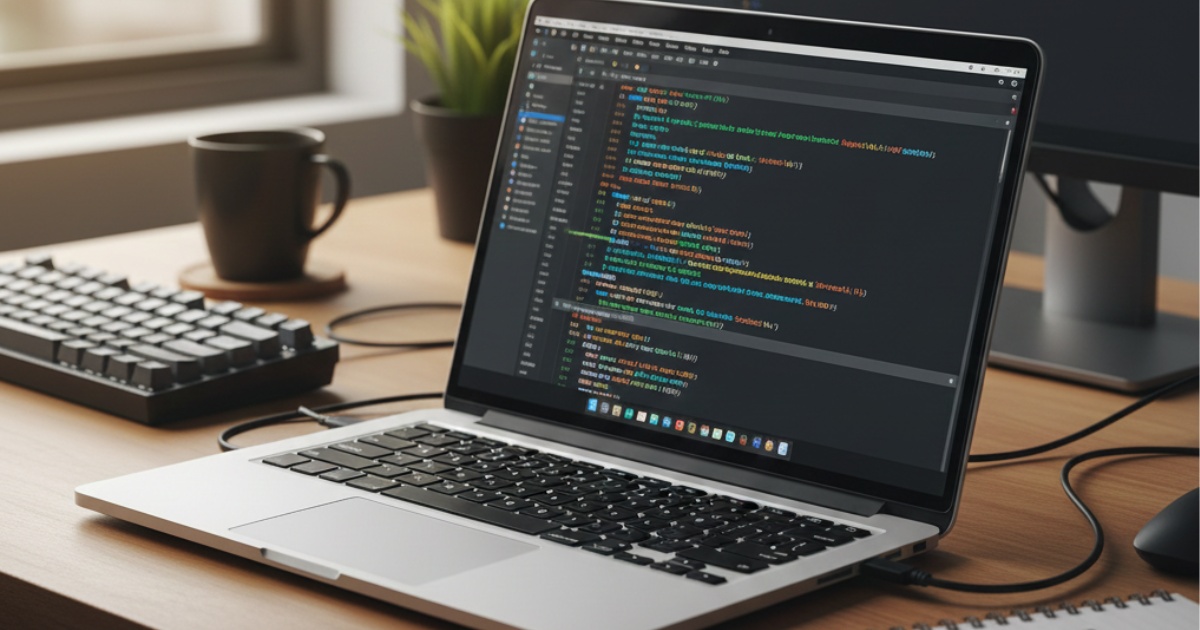
Best Laptops for Programmers: What Actually Matters When You’re Coding All Day
This article is part of our comprehensive guide on Computers, Laptops, and Accessories. For the full guide covering everything from gaming rigs to productivity setups, check out the main hub.
I’ve bought four developer laptops in seven years. Know how many I’d actually buy again? One. Maybe two if I’m being generous.
Here’s what nobody tells you when you’re shopping for a programming laptop: the specs that look impressive in reviews often don’t matter for actual coding work. That 4K display? Gorgeous, sure. But after eight hours staring at terminal windows, you’ll wish you’d saved the $300 and bought more RAM instead.
Let me save you from my mistakes.
What I Actually Use My Laptop For (And You Probably Do Too)
Before we talk specific models, let’s get real about what programming actually demands from a machine.
My typical Tuesday looks like this:
- VS Code with 15-20 files open
- Docker running 3-4 containers
- Chrome with 30 tabs (Stack Overflow, documentation, that one GitHub issue from 2019)
- Slack, Terminal, Spotify
- Maybe a local database if I’m testing something
None of that screams “I need a gaming laptop with RGB everything.” But it does scream “I need RAM and I need it now.”
The Specs That Actually Matter
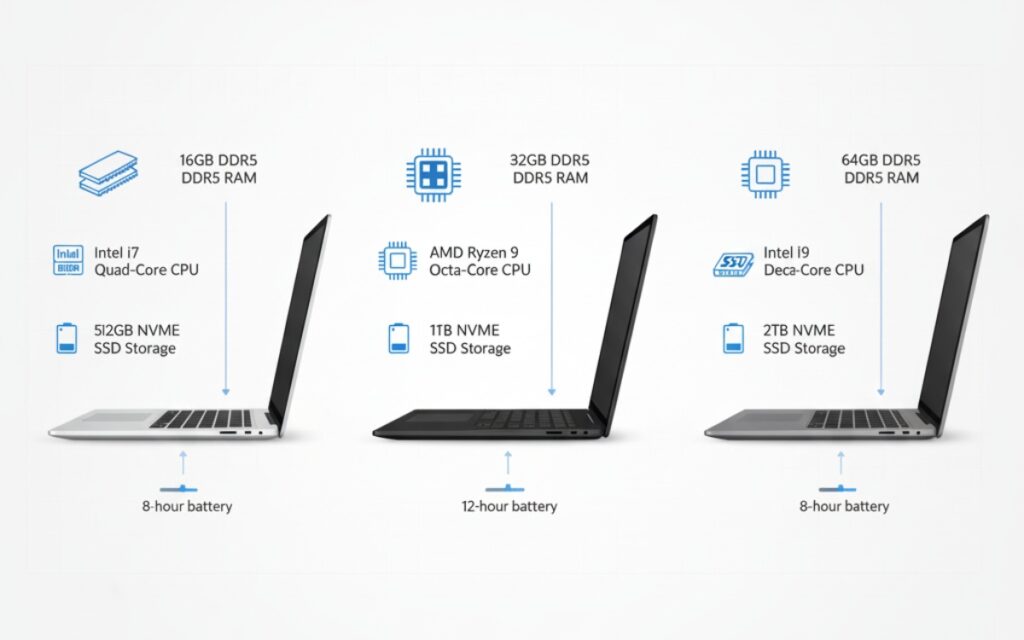
RAM: Don’t Even Think About 8GB
Look, 8GB might be fine for browsing Facebook. For development? It’s a joke.
I started with 8GB on my first MacBook Pro in 2018. Within six months, I was closing browser tabs just to compile code. That’s not how you want to work.
Minimum: 16GB. Seriously.
If you’re doing anything with containers, VMs, or running multiple development environments, go for 32GB. I upgraded to 32GB last year and it’s the best decision I’ve made. No more “oh crap, Docker ate all my memory again.”
CPU: Multi-Core Beats Clock Speed
You know what’s funny? For years I obsessed over clock speeds. 3.5GHz vs 3.2GHz. Like those 0.3GHz would change my life.
What actually matters? Core count. Modern development tools love parallel processing. Your IDE indexing files, TypeScript compiler running, webpack rebuilding, tests executing in watch mode… that’s all happening simultaneously.
Sweet spot: 6-8 cores minimum
I’m currently on an M2 MacBook Pro with 10 cores and compile times that used to take 45 seconds now finish in 12. That’s the difference that matters.
Storage: SSD or Go Home
If someone tries to sell you a laptop with an HDD for development in 2025, run. Actually run.
SSDs aren’t just faster, they change how you work. Installing node_modules with npm? On an HDD that’s a coffee break. On an NVMe SSD it’s done before you finish reading the success message.
Minimum: 512GB SSD
I’ve got a 1TB drive now and I’m still always deleting old projects to make space. Between Docker images, multiple Node versions, local databases, and that one 4GB log file you forgot about… storage disappears fast.
Display: Size Matters More Than Resolution
Here’s my hot take: you don’t need a 4K display for coding.
What you need is screen real estate. A good 1080p 15-inch display beats a cramped 4K 13-inch any day. I can have my editor, terminal, and documentation side-by-side without squinting.
My preference: 15-inch at 1920×1080 or better
Also, matte finish if you can get it. Glossy displays look amazing in the store and terrible when you’re trying to debug at a coffee shop with windows behind you.
Battery Life: The Forgotten Spec
You know what killed my productivity more than slow compiles? Constantly hunting for outlets.
My old Dell XPS got maybe 3 hours of actual coding before dying. You can’t get into flow when you’re always thinking about battery percentage. My current Mac lasts 10-12 hours of real development work, and it’s life-changing.
If you’re shopping for the longest battery life possible, pay attention to real-world reviews from developers, not manufacturer claims.
Top Picks for Different Situations

If You’re on macOS: MacBook Pro 14″ (M3 Pro)
I’ll be upfront: I’m a Mac user. Not for the logo or the ecosystem lock-in, but because after seven years of fighting with Linux laptop drivers and Windows Subsystem for Linux quirks, macOS just works for development.
What I like:
- Battery life is insane (seriously, 12+ hours)
- Unix-based terminal (no WSL shenanigans)
- Retina display is actually useful at this size
- Build quality lasts
The catch: Starting at $2,000, you’re paying for that Apple tax. But I haven’t had to worry about hardware failures once in three years.
Config I’d buy:
- M3 Pro chip (12-core)
- 32GB RAM (non-upgradeable, do it now)
- 1TB SSD
- 14-inch (better portability than 16″)
If You Want Windows: ThinkPad X1 Carbon Gen 11
Before I switched to Mac, I lived in ThinkPad land. The X1 Carbon is what I’d buy if I went back.
Why this one:
- Legendary keyboard (best typing experience, period)
- Runs Linux flawlessly if you want to ditch Windows
- Actually repairable (imagine that)
- Business-grade durability
I’ve seen these survive being dropped, spilled on, and used as impromptu pizza plates. They just keep going.
Suggested specs:
- Intel Core i7-1365U (10 cores)
- 32GB RAM
- 1TB SSD
- 14-inch 1920×1200 display
Expect to pay around $1,500-$2,000 configured right.
Budget Option: Framework Laptop 13
This is the laptop I wish existed when I started. Framework’s whole thing is modularity and repairability, which sounds gimmicky until you actually need to upgrade RAM or replace a broken port.
Real talk: It’s not as polished as a Mac or ThinkPad. The trackpad is fine, not great. Battery life is decent, not amazing. But for $1,200 you get:
- Upgradeable everything
- Good enough performance for most dev work
- The satisfaction of not being locked into planned obsolescence
I’ve recommended this to three junior devs and they’re all happy with it.
If You’re All-In on Linux: System76 Lemur Pro
System76 builds laptops specifically for Linux. No driver hunting, no weird suspend issues, no “well it mostly works except…”
I haven’t personally used one (MacBook life), but my colleague swears by his. Pop!_OS comes pre-installed and actually takes advantage of the hardware properly.
The specs:
- Intel or AMD options
- Up to 40GB RAM
- Great keyboard
- Lightweight (under 3 pounds)
Around $1,400 for a solid config.
What About Gaming Laptops?
Short answer: don’t.
I see developers eyeing those RGB-laden gaming laptops thinking “I can code AND play games!” You can. But you’ll also carry around 6 pounds of laptop, deal with 2 hours of battery life, and look ridiculous in client meetings when your keyboard starts doing the rainbow wave.
Gaming laptops optimize for GPU power. Programming optimizes for CPU, RAM, and efficiency. Different needs.
If you want to game, build a desktop. Trust me on this one. I tried the gaming laptop route and regretted it within months.
The Accessories That Actually Help
A laptop’s just part of the setup. Here’s what I use every day:
External monitor: 27-inch 1440p. Game changer for productivity. Check out our computer monitors buying guide for details.
Mechanical keyboard: I use a Keychron K2. Your fingers will thank you after typing all day.
Mouse: Logitech MX Master 3. Expensive but worth every penny for programming work. More in our best computer mice roundup.
Laptop stand: Get your screen to eye level. Your neck will thank you.
Common Mistakes I See Developers Make
Mistake 1: Buying for Today, Not Tomorrow
Your needs will grow. That project using 4GB RAM now? Give it six months and three new dependencies, you’ll be at 8GB easy.
Buy more RAM and storage than you think you need. You can’t upgrade soldered RAM later (looking at you, Apple).
Mistake 2: Ignoring the Keyboard
You’re going to type on this thing for 6-8 hours a day. A mushy, shallow keyboard will drive you insane.
Go to a store. Actually type on the keyboards. If it feels like typing on a wet sponge, keep looking.
Mistake 3: Skipping the Warranty
I’ve killed laptops with spilled coffee, electrical surges, and once by accidentally dropping it while sprinting to catch a train.
Get the extended warranty. Especially if you’re buying something expensive.
Still Deciding Between Desktop and Laptop?
Some developers swear by desktop setups for the raw power and upgradeability. It’s a valid choice, especially if you’re not moving around much. We’ve got a full breakdown in our desktop vs laptop comparison if you’re on the fence.
Final Thoughts: What I’d Buy Today
If money wasn’t an object? MacBook Pro 14″ with M3 Pro, 32GB RAM, 1TB SSD. It’s what I’m using right now and I’ve got zero complaints.
If I was on a budget? Framework Laptop with 32GB RAM and a 512GB SSD. Spend the savings on a good external monitor and keyboard.
If I needed Windows for specific tools? ThinkPad X1 Carbon without hesitation.
The truth is, any modern laptop with 16GB+ RAM, an SSD, and a decent CPU will handle most development work fine. Don’t overthink it.
What matters more than the specific model is getting enough RAM (seriously, 32GB), good battery life so you’re not chained to outlets, and a keyboard you don’t hate.
I’ve wasted too much time optimizing laptop choices and not enough time actually writing code. Learn from my mistakes. Pick something solid, get the RAM, and start building.
For more tips on keeping whatever laptop you choose running smoothly, check out our laptop performance optimization guide and laptop maintenance tips.
Now stop reading laptop reviews and go write some code.




3 Comments
Comments are closed.