Note-Taking vs Task Management Apps: Which One Do You Actually Need?
So here’s a question I get asked constantly: “Should I use Notion or Todoist?” And honestly? That’s like asking whether you need a notebook or a calendar. They’re solving different problems, and mixing them up is why half of us have seventeen apps installed and still forget to buy milk.
I’ve been through this cycle more times than I’d like to admit. Downloaded Notion, spent three hours building the “perfect” workspace, then realized I was still using Apple Notes for actual notes and Things for my tasks. The issue wasn’t the apps. It was me not understanding what I actually needed.
Let me save you some time and app subscription fees.
The Core Difference (That Nobody Explains Right)
Here’s the thing: note-taking apps are for capturing and organizing information. Task management apps are for getting stuff done. Sounds obvious, right? But the lines get blurry fast because modern apps try to do everything.
Think about it this way. When you’re in a meeting and someone mentions a new API endpoint, you jot it down. That’s a note. When your boss says “get this deployed by Friday,” that’s a task. Different mental models, different needs.
I learned this the hard way when I tried using Evernote for project management back in 2019. Created elaborate note structures for tasks, added checkboxes, the whole nine yards. It worked for exactly two weeks before everything became a disorganized mess. Evernote wasn’t designed for “what needs to happen next.” It was designed for “what did I learn about this topic.”
When You Need a Note-Taking App

Use a note-taking app when you’re dealing with:
Information you need to reference later. Meeting notes, research, code snippets you might use someday, article ideas, random thoughts at 2 AM. Stuff that doesn’t have a due date but has value.
I keep everything from API documentation snippets to debugging notes from that weird production issue in August. No deadlines attached. Just organized chaos I can search through when I need it.
Content that needs structure. Notes can have hierarchies, tags, links between them. You’re building a knowledge base, not a to-do list. My notes on “Docker networking issues” have grown into this sprawling document with subsections, examples, and links to Stack Overflow threads that saved my butt.
Things you’re learning or exploring. Taking a course? Reading technical docs? Researching a new framework? Notes are perfect. I’ve got entire folders on GraphQL, Kubernetes, and “weird JavaScript behaviors that bit me in production.”
Real Talk: Note-Taking App Strengths
The best note apps let you:
- Dump information quickly without thinking about organization
- Search through everything instantly
- Link related concepts together
- Add images, code blocks, or whatever format you need
- Access from any device (because inspiration strikes at weird times)
Right now I’m using Obsidian for my personal knowledge base and it’s been solid. Before that, Notion. Before that, Bear. The app matters less than actually using it consistently.
When You Need a Task Management App
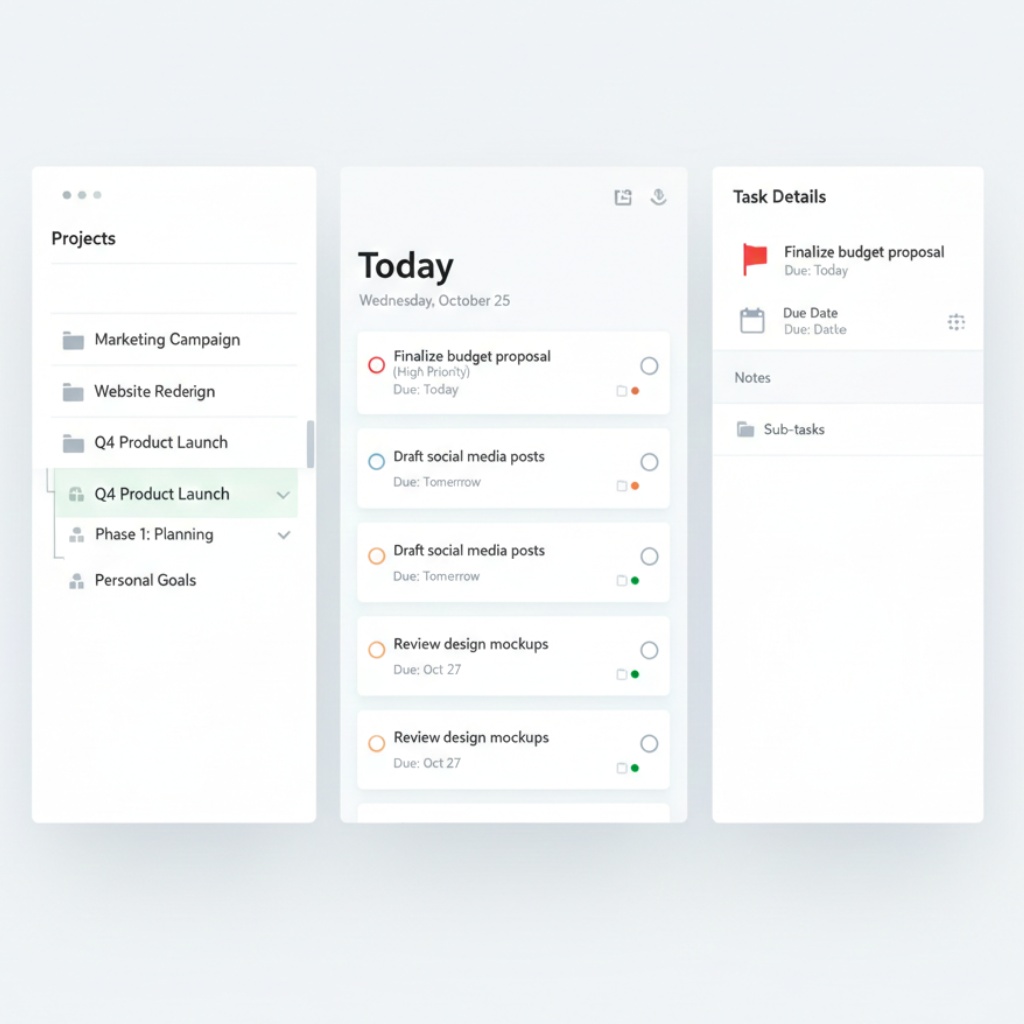
Task management apps shine when you’re dealing with:
Things that have to happen. Deploy the new feature. Review pull requests. Email the client. Update documentation. These aren’t reference material. These are commitments with deadlines (even if the deadline is “eventually”).
Workflows and processes. Good task managers handle dependencies. “Can’t deploy until tests pass” or “need approval before implementing.” Notes apps don’t think this way.
I use Things 3 for my work tasks because it handles projects, deadlines, and “today” views really well. When I tried managing tasks in Notion, I’d forget to check it. With Things, my tasks actively remind me they exist.
Recurring responsibilities. Weekly team meetings, monthly reports, daily standup prep. Task apps are built for this. Most note apps? Not so much.
What Task Managers Actually Do Well
The critical features:
- Quick capture (add a task in under 3 seconds)
- Clear “what’s next” view
- Due dates and reminders that actually work
- Projects and subtasks for complex stuff
- Completion tracking (because checking off tasks feels good)
Last month I had 47 tasks across six projects. My note-taking app would’ve choked on that. My task manager handled it fine.
The Hybrid Trap (And Why It Usually Fails)
Now here’s where it gets messy. Apps like Notion, Coda, and Anytype try to be both. And they can work, but you need discipline.
I’ve watched coworkers spend hours building elaborate Notion dashboards with task databases, note collections, and linked views. Beautiful setups. Then they stop using them after a month because it’s too much friction to actually capture a quick thought or add a simple task.
The problem with hybrid apps:
- They’re slow for quick capture. Opening Notion, finding the right database, filling in properties… versus just typing “Fix bug in auth service” into Todoist.
- They require setup. You need to build your system. Some people love this. Most people don’t maintain it.
- They try to be everything. Which means they’re not optimized for the specific flow of notes OR tasks.
That said, I know people who’ve made Notion work brilliantly. They’re usually the same people who color-code their socks and actually use their planner. If that’s you, go for it. If you’re more “organized chaos,” stick to specialized tools.
How I Actually Use Both (Without Losing My Mind)
Here’s my current setup, and it’s stupidly simple:
Obsidian for notes: Technical learnings, meeting notes, project documentation, ideas, research. Anything that’s reference material or knowledge building.
Things 3 for tasks: Literally everything I need to do. From “reply to email” to “refactor authentication module.” If it’s an action item, it goes here.
The bridge between them: Sometimes a note spawns tasks. I’ll be documenting a bug fix and realize “oh, I should update the wiki about this.” That becomes a task in Things with a link back to the Obsidian note.
They don’t need to be integrated. They’re separate tools for separate jobs, and that’s fine.
Making the Choice: A Quick Decision Framework
Still not sure which one you need? Ask yourself:
“Am I trying to remember something or accomplish something?”
Remember = note-taking app
Accomplish = task management app
“Does this have a deadline?”
Yes = task manager
No = probably a note
“Will I need to reference this next month, or just get it done?”
Reference later = note
Get it done = task
And if you’re thinking “I need both,” you probably do. Most productive people I know use both types of apps, just for different purposes.
Common Mistakes I’ve Seen (And Made)
Using notes for tasks: You’ll forget. I guarantee it. Notes don’t actively remind you about deadlines.
Using tasks for information: Your task manager becomes a bloated mess of “completed” items you can’t actually search through effectively.
Trying to unify everything: Unless you’re incredibly disciplined, this usually ends with you abandoning the system entirely.
Not capturing fast enough: If adding something takes more than 5 seconds, you won’t do it consistently. Speed matters.
The Bottom Line
Note-taking apps and task management apps aren’t competitors. They’re complementary tools for different cognitive tasks. Notes are your second brain. Tasks are your executive function.
I spent years trying to find the “one app to rule them all.” Turns out, I just needed to accept that different tools are good at different things. My productivity jumped when I stopped fighting this.
Pick a note app you’ll actually use (simple is better than feature-rich). Pick a task manager that doesn’t annoy you (bonus points if it has a good mobile app). Use each for what it’s designed for. Done.
And if someone tries to convince you their perfectly organized Notion workspace is the solution to everything? Smile, nod, and stick with what works for you.
Real talk: The best productivity system is the one you’ll actually maintain six months from now. Not the prettiest one. Not the most feature-complete one. The one that fits your actual workflow.
Now go delete half the productivity apps on your phone and commit to just two: one for notes, one for tasks. You’ll thank me later.
This article is part of our comprehensive guide on Software, Apps, and Productivity Tools. For more insights on choosing the right productivity apps, check out that main guide.
Related reads you might find helpful:
- Best Productivity Apps 2025 – Full rundown of what’s actually worth installing
- Task Management Apps – Deep dive into dedicated task managers
- Note-Taking Apps Guide – Everything you need to know about note-taking tools
- Free vs Paid Productivity Apps – When premium features actually matter