
Free vs Paid Productivity Apps: When You Actually Need to Pay (And When You Don’t)
I’ve spent way too much money on productivity apps. Last year alone? Probably close to $400 across various subscriptions. And here’s the kicker: I’m still using the free version of Google Keep for half my notes.
So yeah, I’ve learned this lesson the expensive way. Sometimes the free version is genuinely all you need. Other times, you’ll hit a wall so hard that the paid upgrade feels like a bargain. Let me save you some trial and error.
The Free App Trap Nobody Talks About
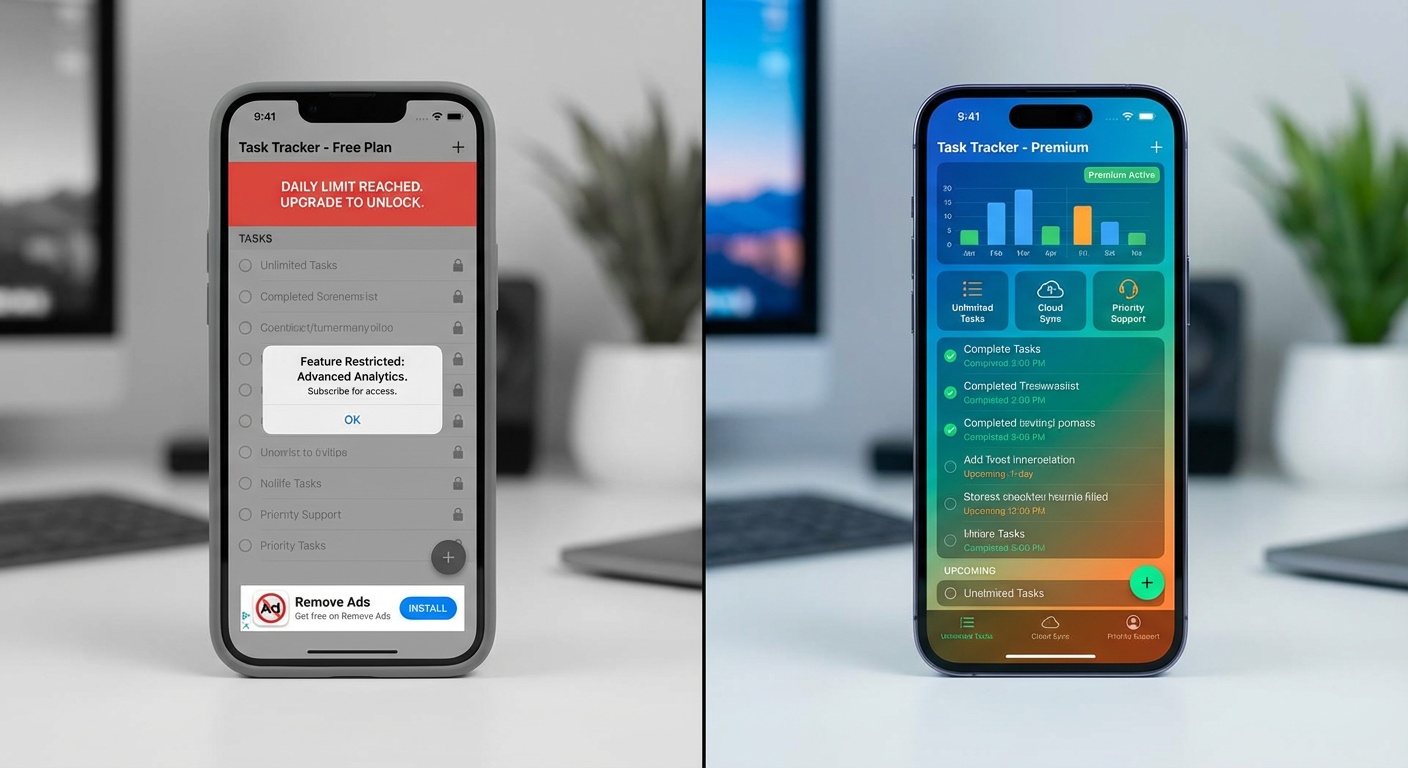
Here’s what usually happens: You find a shiny new productivity app. The free tier looks generous. You dive in, set everything up, and three months later you’re staring at a “upgrade to continue” popup at 9 PM on a deadline.
I did this with Notion. Spent weeks building my perfect workspace, then hit the block limit right when I needed to document a project. Paid the $10/month without blinking because I was too invested to switch.
That’s not an accident. It’s the business model.
When Free Actually Works
Look, I’m not saying paid apps are always a scam. But some free versions are legitimately powerful enough for most people.
Obsidian is my favorite example. The free version does everything unless you need mobile sync or publish features. I used it free for a year before upgrading, and honestly? I only upgraded because I wanted to support the developers.
Google Workspace (Docs, Sheets, Drive) is another one. Unless you need advanced permissions or enterprise features, the free tier handles serious work. I’ve seen startups run entirely on free Google accounts until they hit 50+ employees.
Visual Studio Code for coding. Completely free. Most developers I know never touch the paid alternatives unless their company requires it.
The pattern? Free works when:
- Your needs are straightforward
- You don’t need deep integrations
- Mobile sync isn’t critical
- You’re okay with occasional ads or branding
The “Freemium” Red Flags
Some free tiers are basically demos with a timer. Watch for these:
Artificial limits that kill usability. Trello’s free version caps you at 10 boards. Sounds reasonable until you realize that’s like 3 months of normal use. Then you’re either deleting old boards (losing history) or paying up.
Features that should be basic. Evernote charges for offline access to your own notes. That’s wild. Your notes shouldn’t require an internet connection to exist.
Export restrictions. If a free app makes it hard to export your data, that’s a hostage situation, not a product. I learned this with a task manager that only let me export to their proprietary format. Never again.
When Paid Is Worth It (From Someone Who’s Tried Both)
I pay for Todoist Premium ($4/month) even though the free version exists. Why? Because I use it 20+ times a day, and the paid features (reminders, labels, filters) genuinely change how it works.
You should consider paying when:
The free tier breaks your workflow. I tried using Slack’s free tier for a side project. The 90-day message history limit meant we lost context constantly. We upgraded, and the productivity jump paid for itself in a week.
You’re using it professionally. If an app makes you money or saves you significant time at work, the subscription is a business expense. I expense my Figma subscription because I use it for client work. No brainer.
You need reliability and support. Free apps can disappear or change drastically overnight. Paid apps have some accountability. When Trello had that outage last year, their paid users got priority restoration and actual support responses.
The paid features compound over time. Notion’s unlimited blocks don’t matter much at first. Six months in, when you’ve built interconnected databases? Irreplaceable.
The Apps I Switched On
From free to paid:
- Notion ($10/month) – Hit the block limit after 3 months of serious use
- 1Password ($3/month) – Free password managers work, but the family sharing and security reports are worth it
- Grammarly ($12/month) – The free version catches typos. Premium catches my terrible sentence structure
Stayed free:
- Google Keep – Simple notes, works everywhere, no reason to upgrade
- Obsidian – Only using local files, don’t need sync
- Thunderbird – Email client that does everything Outlook does
The Honest Cost Breakdown
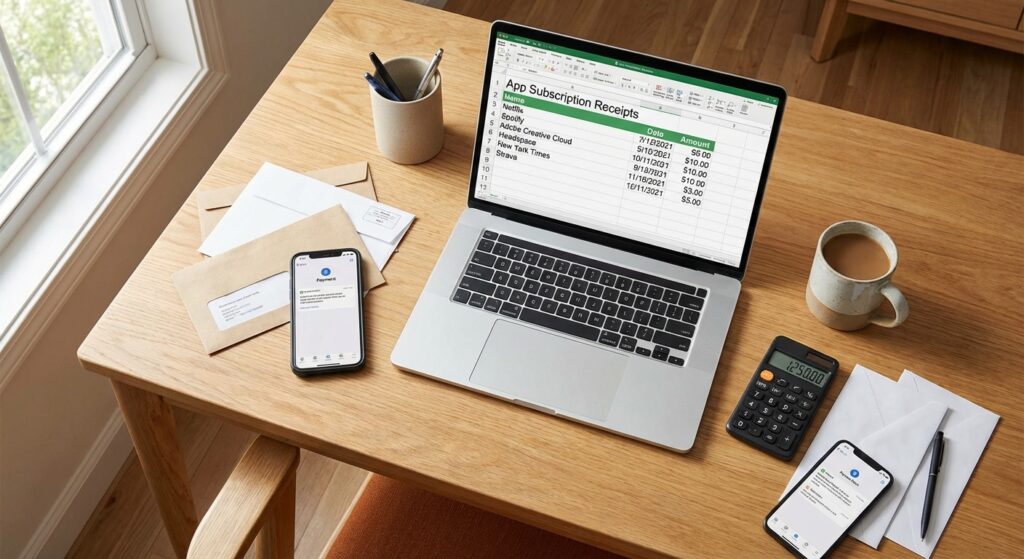
Want to know what I actually pay for productivity apps? Here’s my current monthly total:
- Notion: $10
- Todoist: $4
- 1Password: $3
- Grammarly: $12
- Figma: $12 (work-related)
- Spotify: $10 (counts as focus music, right?)
Total: $51/month
That’s $612/year. Sounds insane when I write it out. But here’s the thing: I use these apps 4-6 hours every workday. That’s like $0.25/hour for tools that genuinely make me faster.
Compare that to the free alternatives? I’d probably lose 15-20 minutes a day to friction. That’s real money in time.
How to Actually Decide
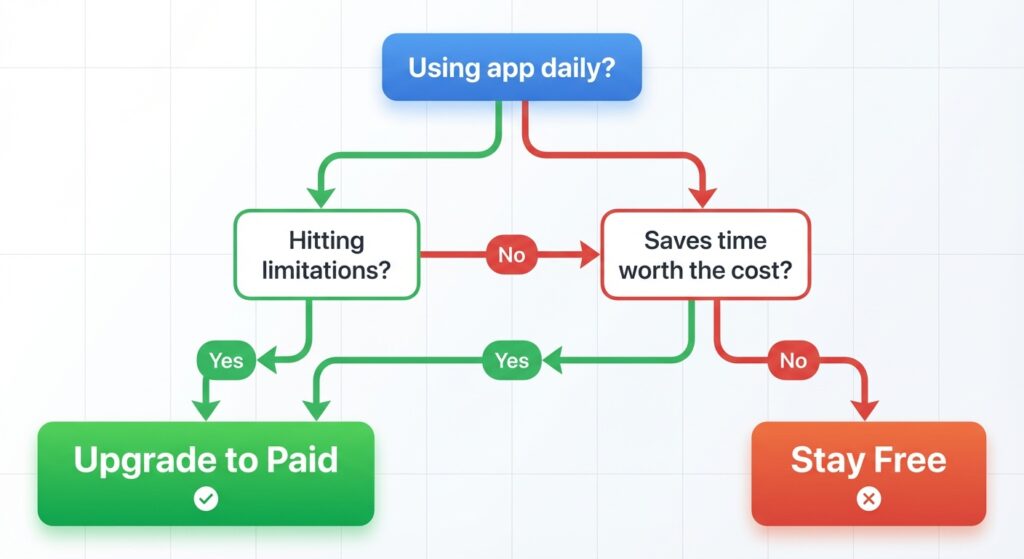
Stop overthinking it. Here’s my process now:
Try free first, always. Don’t even look at paid features for the first month. If you don’t miss them, you don’t need them.
Track your usage. If you’re opening an app 3+ times a day, paid might make sense. Once a week? Stick with free.
Calculate the time value. Would the paid features save you 10 minutes a day? That’s 60+ hours a year. What’s your hourly rate?
Check the upgrade trigger. Most apps show you why you hit the limit. If it’s “you’ve reached 10 boards,” that’s a real constraint. If it’s “upgrade for custom backgrounds,” that’s not.
The Apps You Can Skip Entirely
Some “productivity” apps are just… unnecessary.
Fancy note-taking apps with AI features. Unless you’re writing a book, basic Markdown in Obsidian or even Apple Notes works fine. I fell for Roam Research’s hype ($15/month!) and went back to Obsidian after three months.
Task managers with 47 features. You don’t need Gantt charts for your grocery list. TickTick’s free version has more features than most people use.
“All-in-one” workspace apps. These usually do everything okay and nothing great. I tried ClickUp for two months. Went back to using Notion + Todoist + Google Calendar.
My Actual Recommendation
Start with these free apps:
- Notes: Google Keep or Obsidian
- Tasks: Todoist free or Microsoft To Do
- Calendar: Google Calendar
- Cloud storage: Google Drive (15GB free)
- Password manager: Bitwarden
Use them for 2-3 months. You’ll know when you need to upgrade because you’ll hit a wall that genuinely blocks you.
Upgrade when:
- You’re using it daily for work
- The free limit actively hurts your workflow
- You can articulate exactly which paid feature you need
- The time savings justify the cost
Don’t upgrade because the marketing page made you feel like you’re missing out.
The Real Talk
I’ve wasted money on productivity app subscriptions I barely used. But I’ve also saved hundreds of hours by paying for the right tools.
The trick is knowing the difference between a feature you need and a feature that sounds cool in a demo.
Most people can run 80% of their productivity stack on free apps. The other 20%? That’s where strategic paid upgrades make sense.
Just don’t be like me in 2023, paying for three different note-taking apps simultaneously because I couldn’t decide which one was “better.” (They were all fine. The problem was me switching constantly.)
Related Reading
This article is part of our comprehensive guide on Software, Apps, and Productivity Tools. For more insights on productivity tools, check out the full guide.
You might also find these helpful:
- Best Productivity Apps 2025 – Our top picks across free and paid options
- Task Management Apps – Deep dive into task managers specifically
- Productivity Tools for Students – Budget-friendly options for students
- Cloud vs Local Productivity Apps – Understanding the tradeoffs



5 Comments
Comments are closed.