Gaming Laptops Guide: What Actually Matters (And What Doesn’t)
This article is part of our comprehensive guide on Computers, Laptops, and Accessories. For the full guide covering everything from ultrabooks to desktop setups, visit the main resource.
Look, I’ve tested more gaming laptops than I’d like to admit. Some of them were fantastic. Others… well, let’s just say I learned the hard way that “gaming laptop” on the box doesn’t always mean what you think it means.
Last year, I helped my cousin pick a gaming laptop for college. We spent two hours in a store, and the sales guy kept pushing this $2,200 machine with RGB everything. Beautiful laptop. Terrible thermals. Thing sounded like a jet engine within 10 minutes of gaming.
So here’s what you actually need to know about gaming laptops in 2025. No marketing fluff. Just the stuff that matters when you’re dropping serious money.
The GPU Is Everything (Almost)
Here’s the thing: your gaming laptop’s graphics card is going to make or break your experience. Not the RGB keyboard. Not the “gaming mode” software. The GPU.
Right now, you’ve got three main players:
- NVIDIA RTX 40-series (4050, 4060, 4070, 4080, 4090)
- AMD Radeon RX 7000M series
- Intel Arc (getting better, but still niche)
I’ll be honest, most gamers are going NVIDIA. Not because AMD isn’t good, they make solid GPUs, but because NVIDIA’s DLSS technology is just more widely supported. I’ve tested laptops with both, and for 1440p gaming, an RTX 4060 with DLSS beats an equivalent AMD card in most modern titles.
Real talk: Don’t buy anything below an RTX 4050 if you want to play modern AAA games at decent settings. I know budget is tight, but a 3050 or older in 2025? You’re asking for disappointment six months from now when the next big release drops.
CPU: Don’t Overthink It
Gaming laptops love to advertise their CPUs. “Intel Core i9 14th Gen!” they scream. Cool. You probably don’t need it.
For gaming, a mid-tier CPU is fine. An Intel i7 or AMD Ryzen 7 will handle pretty much anything you throw at it. The i9 or Ryzen 9? That’s for content creators who are rendering video while gaming while running Photoshop in the background.
I made this mistake with my first gaming laptop in 2019. Paid $400 extra for an i9. Used maybe 60% of its power even during heavy gaming sessions. That money should’ve gone toward a better GPU.
Cooling: The Thing Nobody Talks About Enough

This is where most gaming laptops fail, and it drives me crazy.
You can have the best GPU and CPU combo in the world, but if your laptop hits 95°C after 20 minutes of gameplay, you’re going to thermal throttle. Your performance tanks. Your laptop starts sounding like a leaf blower. Not fun.
Some manufacturers actually get this right:
- ASUS ROG laptops generally have solid cooling
- MSI’s Cooler Boost systems work well (though loud)
- Lenovo Legion series has improved a lot
Others… not so much. I tested a popular budget gaming laptop last summer that had beautiful specs on paper. In practice? It thermal throttled so hard in Cyberpunk 2077 that I got better framerates on my older, “weaker” laptop with better cooling.
Pro tip: Check reviews specifically mentioning thermals and sustained performance. Not just benchmark scores, actual real-world gaming sessions. If you want to dive deeper into this, we have a full guide on laptop cooling solutions that covers external cooling pads and optimization tricks.
Display: More Than Just Resolution
1080p vs 1440p vs 4K. Everyone obsesses over this. But here’s what actually matters:
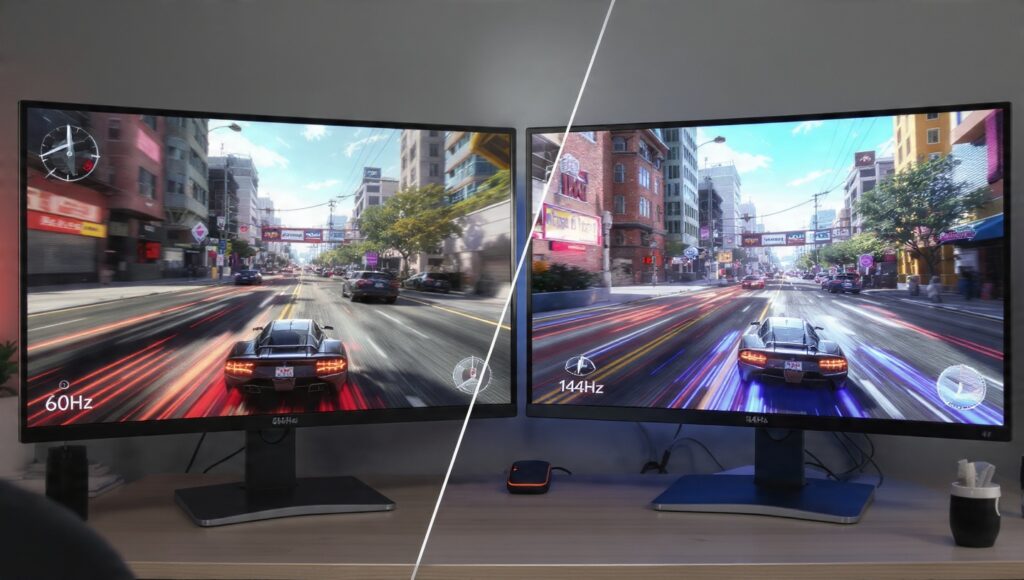
Refresh rate. A 1080p screen at 165Hz beats a 4K screen at 60Hz for gaming. Every. Single. Time.
I game on a 1080p 144Hz panel. Could I go higher res? Sure. But the smoothness of high refresh rate gaming is something you can’t unsee. Once you’ve played at 144Hz, 60Hz feels choppy.
Also, response time matters. Look for 3ms or lower. Some budget gaming laptops ship with 7ms panels that ghost like crazy in fast-paced games.
And please, for the love of everything, get an IPS panel minimum. Those old TN panels with terrible viewing angles? Still showing up in budget gaming laptops. Don’t do it.
RAM and Storage: The Easy Stuff
16GB of RAM is the baseline for gaming in 2025. 32GB if you multitask heavily or play really demanding titles. Anything less than 16GB? Pass.
For storage, just get an SSD. We’re past the “should I get an HDD?” debate. A 512GB NVMe SSD is the minimum. 1TB is better. Modern games are massive. Call of Duty alone can eat 150GB.
Most gaming laptops let you upgrade storage easily. RAM is getting harder to upgrade in newer models (soldered to the motherboard), so try to get enough from the start.
Battery Life: Let’s Be Real
Gaming laptops and battery life don’t mix. Anyone telling you otherwise is lying.
You’ll get maybe 3-4 hours of light web browsing and document work. Gaming on battery? 60-90 minutes if you’re lucky. These machines are power hungry.
If you need a laptop that does both gaming and all-day productivity away from outlets, you’re looking at different compromises. Check out our best laptops for students if you need something more balanced.
Build Quality and Keyboard
This is personal preference, but after years of testing, here’s my take:
Gaming laptops fall into two camps: thick and sturdy, or thin and fragile. The thin ones look great in marketing photos. They also crack if you look at them wrong.
I prefer slightly thicker builds. They’re more durable, have better cooling, and usually better keyboards. Speaking of keyboards, you’ll be spending hours on this thing. Make sure it feels good to type on, not just game on.
RGB lighting? Cool if you’re into it. Personally, I turn it off to save battery. Your call.
The Brands That Don’t Suck
Based on actual use, not sponsorships:
- ASUS ROG: Solid all around, sometimes pricey
- Lenovo Legion: Great price-to-performance ratio
- MSI: Good gaming performance, hit or miss on build quality
- Razer Blade: Premium feel, premium price, sometimes thermal issues
- HP Omen: Decent budget options, nothing special
I’d skip the ultra-budget gaming laptops from brands you’ve never heard of. They’re cheap for a reason.
What About Desktop vs Laptop?
Real talk: desktops give you way more performance per dollar. A $1,500 gaming desktop destroys a $1,500 gaming laptop.
But laptops give you portability. I moved twice last year. My gaming laptop came with me. My old desktop? Had to rebuild it both times.
If you never move your setup and have the space, go desktop. If you need portability, accept the performance and cost compromise.
The Buying Checklist
Before you drop $1,500+ on a gaming laptop, check:
✓ GPU is at least RTX 4060 or equivalent
✓ 16GB RAM minimum
✓ 144Hz+ display
✓ Reviews mention good thermals
✓ At least 512GB SSD
✓ Keyboard feels good (test it if possible)
✓ Check actual weight (some “portable” gaming laptops are 6+ lbs)
Common Mistakes I See
Don’t buy last-gen hardware just because it’s on sale. That RTX 3060 might be $300 cheaper, but you’re already a generation behind.
Don’t trust marketing specs alone. I’ve seen “gaming laptops” with GTX 1650s in 2025. That’s not a gaming laptop, that’s a scam.
Don’t ignore weight if you’re actually going to carry this thing. A 7-pound laptop plus charger plus accessories gets old fast.
The Bottom Line
A good gaming laptop in 2025 starts around $1,200 and goes up from there. You can find cheaper ones, but you’ll be making serious compromises.
My sweet spot? $1,500-$1,800. Gets you an RTX 4060, solid cooling, good display, and decent build quality. Spending more gets you diminishing returns unless you’re pushing 4K gaming or doing professional content creation.
And whatever you buy, for the love of your sanity, learn about laptop performance optimization. Tweaking power settings and updating drivers can squeeze out 10-15% more performance from the same hardware.
Now stop reading and go find your gaming laptop. Just remember: spec sheets lie, thermals matter, and RGB doesn’t make your games run faster.