Computer Vision Explained: What Actually Happens When Machines “See”
You know that feeling when your phone’s face unlock works perfectly in good light but fails completely when you’re lying in bed at 2 AM? That’s computer vision in action. Or not in action, I guess.
I’ve been working with computer vision systems for about three years now, and here’s what nobody tells you upfront: it’s less “magic AI that sees like humans” and more “really sophisticated pattern matching that breaks in hilarious ways.” Let me explain what’s actually happening under the hood.
What Computer Vision Really Is
Computer vision is how we teach computers to extract meaning from images and videos. Not just “here’s a bunch of pixels,” but “this is a cat” or “this person looks suspicious” or “that tumor doesn’t look right.”
The basic idea? Feed a system thousands (or millions) of labeled images. The system learns patterns. Then it tries to recognize those patterns in new images.
Sounds simple. It’s not.
I learned this the hard way when I tried to build a system to detect damaged products on an assembly line. Trained it on 5,000 images. Worked great in testing. Put it in production and it flagged every single item because the factory lighting was different. Three days of debugging later, I realized the model had learned what “good lighting” looked like, not what “good products” looked like.
How Computer Vision Actually Works
Let’s skip the academic stuff. Here’s what happens when your computer “looks” at an image:
Step 1: The image gets broken down into numbers. Every pixel becomes a value (or three values for color). A 1920×1080 image? That’s over 2 million numbers your system needs to process.
Step 2: Filters detect basic patterns. The system looks for edges, corners, textures. Think of it like those “spot the difference” games, but the computer’s checking thousands of tiny details simultaneously.
Step 3: Higher-level features emerge. Those edges combine into shapes. Shapes become objects. Objects become “probably a dog.”
Step 4: Classification happens. The system gives you a confidence score: “82% sure this is a golden retriever, 15% sure it’s a yellow lab, 3% sure it’s a pile of pancakes.”
That 3% is important. Computer vision is probabilistic. It’s never 100% certain, and when it’s wrong, it can be really wrong.
The Technology Stack (What You’ll Actually Use)
I’ve worked with most of the major computer vision frameworks. Here’s the honest breakdown:
OpenCV has been around since 2000. It’s the workhorse of computer vision. Not the sexiest option, but it’s fast, well-documented, and handles the basics incredibly well. If you’re doing simple image processing or traditional computer vision tasks (edge detection, template matching), start here.
TensorFlow and PyTorch are where most deep learning-based vision happens now. I prefer PyTorch for prototyping because the debugging is better. TensorFlow’s probably better for production because the deployment tools are more mature. Both will make you want to throw your laptop out the window at some point.
YOLOv8 (You Only Look Once) is fantastic for real-time object detection. I used it for a warehouse inventory system last year. Runs fast enough to process video streams, which is harder than it sounds. Just don’t expect it to work perfectly on objects it wasn’t trained on.
MediaPipe from Google is surprisingly good for specific tasks like hand tracking or face mesh detection. Free, fast, and actually works out of the box. Rare combo.
Real-World Applications (Beyond the Marketing Hype)
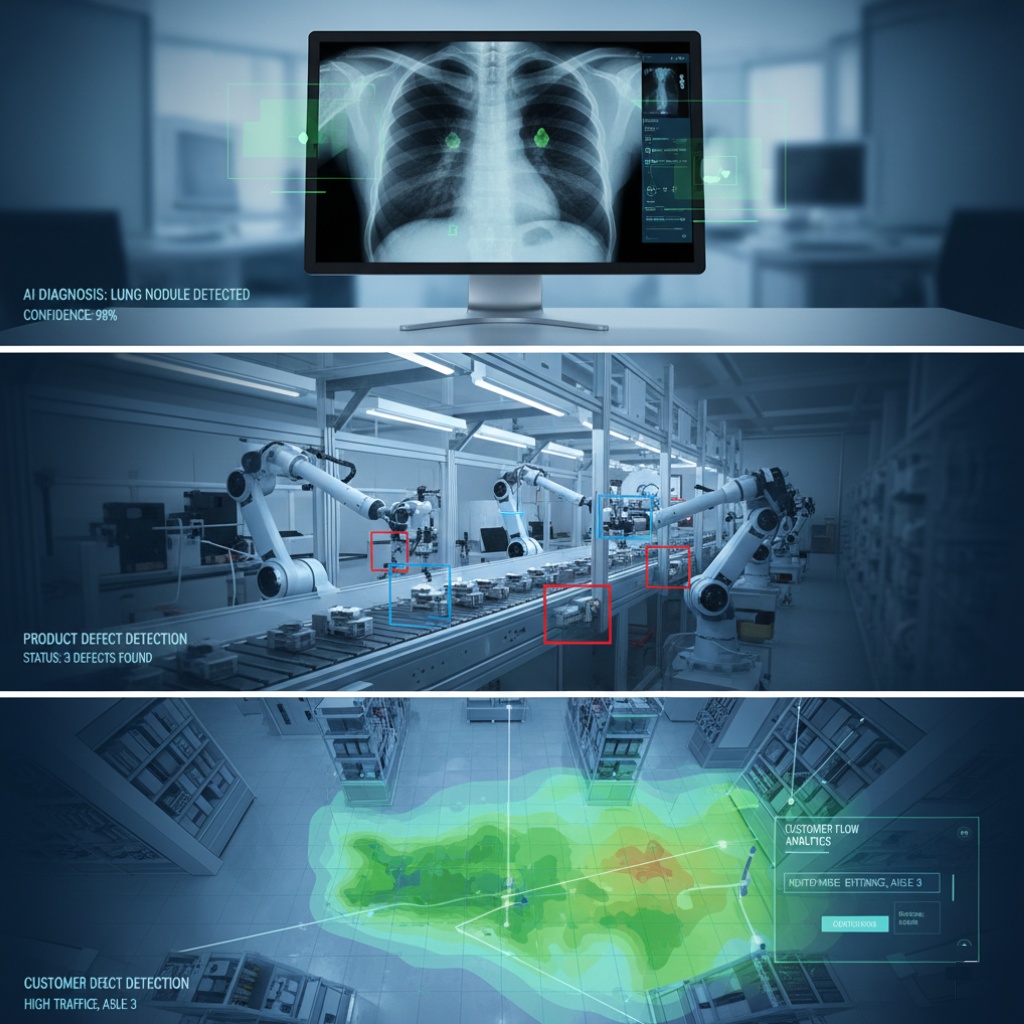
Computer vision isn’t just for tech demos. Here’s where I’ve seen it actually working in production:
Medical Imaging: AI reading X-rays and MRIs. A hospital I consulted for uses computer vision to flag potential issues for radiologists to review. Key word: review. The AI doesn’t make the final call. It’s more like a really attentive intern who never gets tired.
Manufacturing Quality Control: Detecting defects on assembly lines. Works great when you control the environment (lighting, camera position, background). Falls apart when you don’t. See my earlier disaster story.
Retail Analytics: Counting customers, tracking how people move through stores, analyzing which displays get attention. One system I worked on could tell when shelves were running low. Except it also thought restocking employees were “suspicious behavior” until we retrained it.
Agriculture: Farmers using drones with computer vision to spot crop diseases or irrigation problems. This one’s actually pretty cool. The systems can detect issues before humans can see them with the naked eye.
Security and Surveillance: Facial recognition, suspicious behavior detection, crowd monitoring. This is where computer vision gets controversial. The tech works, but the ethics are complicated. That’s a whole other article, honestly.
The Problems Nobody Talks About
Here’s where computer vision breaks down in ways that’ll surprise you:
Lighting is everything. Change the lighting conditions and your carefully trained model might as well be looking at a different planet. I’ve seen systems that worked perfectly in office lighting completely fail in sunlight.
Bias is real and dangerous. If you train a face detection system mostly on lighter-skinned faces, it’ll work worse on darker-skinned faces. This isn’t theoretical. Multiple commercial systems have had this exact problem. Joy Buolamwini’s research at MIT really opened my eyes to this.
Edge cases are infinite. You can’t train for everything. That viral story about the Tesla thinking the moon was a yellow traffic light? That’s what happens when you encounter something your training data didn’t include.
Processing power adds up fast. Running YOLO on a single video stream is one thing. Running it on 50 simultaneous camera feeds is expensive. Both in hardware costs and electricity bills.
Getting Started with Computer Vision

If you want to actually build something, here’s what worked for me:
Start with a pre-trained model. Don’t train from scratch unless you have serious resources. Use transfer learning instead. Take a model that already knows how to recognize 1000 common objects and fine-tune it for your specific task. I’ve built working prototypes in a weekend this way.
Google Colab is your friend. Free GPU time for experimentation. The free tier has limits, but it’s enough to learn with. I still use it for quick tests.
Start simple. My first computer vision project was detecting whether a door was open or closed. Binary classification. One camera, controlled environment, simple problem. Worked great. Don’t try to build self-driving car vision as your first project.
Label your data carefully. Garbage in, garbage out. I learned this after spending two weeks wondering why my model sucked, then realizing about 20% of my training images were mislabeled. Get this right from the start.
Common Mistakes I’ve Made (So You Don’t Have To)
Overfitting on test data: I once had a model that was 98% accurate in testing and 60% accurate in production. Turned out I’d accidentally leaked some test data into training. Oops.
Ignoring image preprocessing: Resize your images consistently. Normalize pixel values. This boring stuff matters more than you think.
Not checking your dataset for bias: My first face detection model worked great on my colleagues (mostly young tech workers) and failed on basically everyone else. Diverse training data isn’t just an ethics thing, it’s a functionality thing.
Expecting too much, too fast: Computer vision looks magical in demos. Real-world implementation is messy. Budget for failure and iteration.
The Future (Probably)
Vision transformers are getting really good. Models like CLIP from OpenAI can do zero-shot classification, which means they can recognize objects they’ve never seen before based on text descriptions. That’s genuinely impressive.
Edge computing is making computer vision more practical. Instead of sending video to the cloud for processing, newer systems can run models directly on cameras or edge devices. Faster, more private, cheaper bandwidth.
Multimodal AI is blurring the lines between vision, language, and other senses. Systems that can look at an image and have a conversation about what they see. We’re not quite there yet, but it’s coming.
This article is part of our comprehensive guide on Artificial Intelligence and Machine Learning. For more on how AI actually works in the real world, check out the full guide.
Related topics you might want to explore:
- Deep Learning Explained – The neural networks powering modern computer vision
- AI Algorithms You Should Know – Core algorithms behind vision systems
- AI in Healthcare – Where medical imaging meets AI
- Ethical Issues in AI – The bias problems I mentioned above
Bottom Line
Computer vision works. But it’s not magic. It’s math, pattern recognition, and a whole lot of trial and error. The tech has gotten good enough that normal developers can use it without a PhD, which is honestly pretty cool.
Just remember: every impressive demo you see probably failed 50 times before someone got it working. That’s normal. That’s how this works.
Start small, test thoroughly, and please, please check your training data for bias. Trust me on that last one.