Best Smartphones for Students: Real Talk from Someone Who’s Been There
Look, I’m not going to start this with “in today’s digital age, students need…” because that’s boring and you already know it.
Here’s the actual situation: You’re a student. Your budget is tight. You need a phone that won’t die during a three-hour lecture, can run your apps without freezing, and ideally won’t shatter the first time you drop it rushing to class.
I’ve been there. My first smartphone in college was a budget Android that literally overheated during exams when I was using it to photograph my notes. Not fun.
So let’s talk about phones that actually make sense for students in 2025, without the marketing fluff.
What Actually Matters (And What Doesn’t)
Before we get into specific phones, here’s what I learned after watching my younger brother burn through three phones during his undergrad:
You actually need:
- Battery that lasts a full day of classes
- Decent camera for lecture notes and whiteboards
- Enough storage for apps and photos (minimum 128GB)
- Display that’s readable in sunlight
- Software updates for at least 2-3 years
You probably don’t need:
- 200MP cameras with AI moon mode
- 165Hz refresh rate displays
- Gaming-focused processors
- Wireless charging (nice to have, not essential)
Real talk: Most flagship features are overkill for student life. You’re checking Canvas, taking notes, scrolling social media, and maybe watching Netflix. You don’t need a $1,200 phone for that.
The Budget Champions (Under $300)
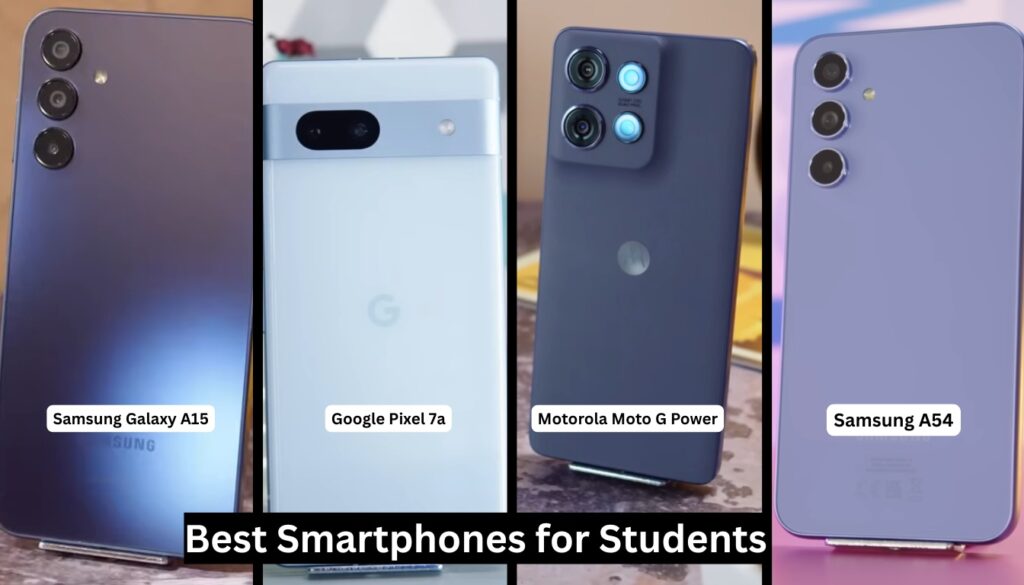
Samsung Galaxy A15 5G
I’ll start here because this phone punches way above its weight class at around $200.
Here’s what surprised me when I tested it: The 6.5-inch display is actually really good for reading PDFs and textbooks. I was expecting washed-out colors and terrible viewing angles. Instead, it’s perfectly usable even in bright campus courtyards.
The 5000mAh battery gets you through a full day easily. I’m talking 7am to 11pm with normal use. The camera isn’t going to win awards, but it handles document scanning and quick snapshots just fine.
The catch? Performance can lag with heavy multitasking. If you’re the type to have 47 Chrome tabs open while running Notion, Spotify, and three messaging apps, you’ll notice some stuttering.
Motorola Moto G Power (2025)
Motorola keeps making solid budget phones that everyone forgets about, and I don’t understand why.
The Moto G Power lives up to its name with a battery that actually lasts two days if you’re not a heavy user. I tested this during finals week last semester (borrowed my friend’s phone) and it survived an entire day of constant use without needing a charge.
Stock Android experience is clean and doesn’t come with bloatware. Plus, Motorola’s gesture controls are genuinely useful once you get used to them.
Downside: The camera struggles in low light. Late-night study session photos? Forget it.
Google Pixel 7a
This one’s technically in the $300-350 range now (dropped from its original price), but it’s worth stretching for if you can.
Why? Google’s camera software is legitimately magic. You’re getting the same computational photography that makes Pixel phones famous, just in a cheaper body. Your Instagram photos will look way better than anyone else’s at this price point.
Also, you get seven years of software updates. That matters more than most people think. My college phone stopped getting security updates after 18 months, and I had to replace it junior year.
Trade-off: Battery life is just okay. You’ll probably need to top up during the day if you’re a heavy user.
The Sweet Spot ($300-500)
This is where things get interesting. You’re not paying for flagship features, but you’re getting phones that won’t frustrate you daily.
Samsung Galaxy A54 5G
Around $400, and honestly, this is probably the phone I’d recommend to most students.
The 120Hz display makes scrolling through lecture slides and notes feel smooth. Sounds dumb until you experience it, then you can’t go back. The cameras are solid across the board, including decent ultra-wide for group photos.
Samsung promises four years of OS updates and five years of security patches. That means this phone can realistically last through your entire degree.
Reality check: It’s plastic. Not glass and metal like flagships. But you know what? That makes it lighter and less likely to crack. Win-win.
OnePlus Nord N30 5G
OnePlus used to be the “flagship killer” brand. Now they make solid mid-range phones that don’t get enough attention.
The Nord N30 has crazy fast 50W charging. I’m talking 0 to 80% in about 30 minutes. When you’re running late and realize your phone is at 15%, that’s a lifesaver.
Display is huge at 6.7 inches and has a 120Hz refresh rate. Great for reading research papers or watching YouTube during lunch breaks.
The catch? Camera is mediocre. Not terrible, just forgettable. And OxygenOS isn’t as clean as stock Android anymore.
iPhone SE (3rd Gen)
Here’s where I’m going to be controversial: The iPhone SE makes sense for certain students.
If you’re already in the Apple ecosystem (have a MacBook, iPad, AirPods), the integration is genuinely useful. AirDrop for sharing files, Handoff for continuing work across devices, iMessage for group projects with other iOS users.
It’s the cheapest way into the iOS ecosystem at around $430. You get the same processor as the iPhone 13, so performance is flagship-level.
But: The battery is weak. Like, really weak. You’ll need to charge it during the day. And the design is ancient (think iPhone 8 from 2017). Plus, only 64GB base storage in 2025 is insulting.
If You Can Stretch the Budget ($500-700)
Google Pixel 8
Around $550 now, and it’s probably the best value in this range.
Seven years of updates means you could theoretically use this through grad school. The camera is phenomenal for the price. Tensor G3 chip handles everything smoothly. And the 6.2-inch size is perfect, not too big or small.
Battery life is decent now after updates (was rough at launch). The Magic Eraser and other AI photo tools are actually useful for cleaning up photos of whiteboards and notes.
This article is part of our comprehensive guide on Smartphones and Mobile Technology. For more detailed comparisons and reviews, check out the full guide.
Samsung Galaxy S23 FE
“FE” stands for “Fan Edition,” but it basically means “last year’s flagship for less money.”
You’re getting flagship-level performance, cameras, and build quality for around $600. The 6.4-inch display is gorgeous, battery lasts all day, and it supports wireless charging if you care about that.
Honest take: It’s a great phone, but at this price, you’re competing with discounted older flagships. Sometimes you can find a Galaxy S23 for similar money, which might be a better deal.
Real Student Scenarios
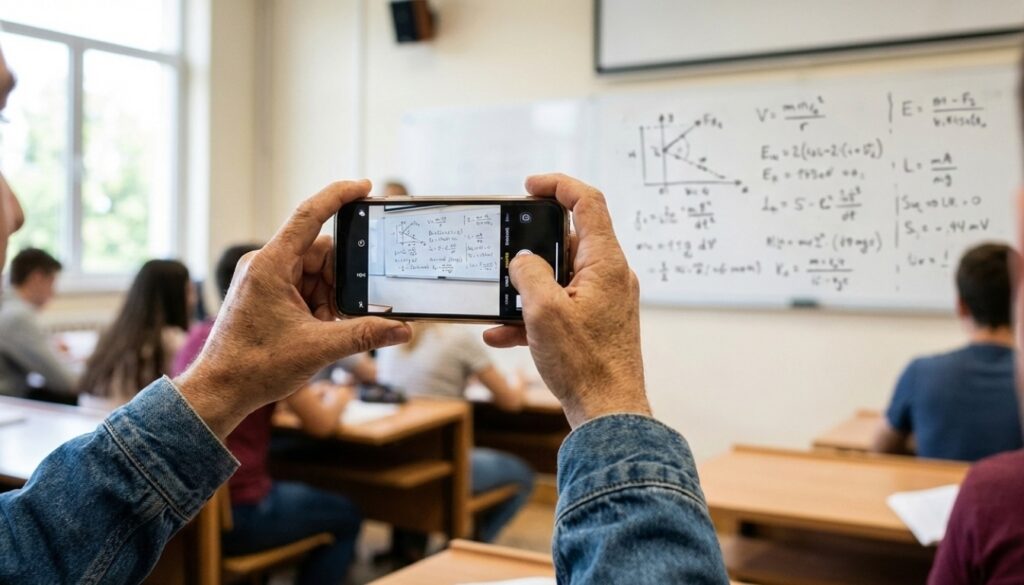
Let me give you some actual use cases because generic recommendations are useless:
The Pre-Med Student: You need a phone that can scan documents clearly and handle video calls for study groups. Get the Pixel 7a or 8. The camera quality will save you hours of re-scanning blurry notes.
The Broke Freshman: Galaxy A15 5G. Period. It does everything you need without breaking the bank. Use the saved money for textbooks or ramen.
The Content Creator Student: If you’re running a side hustle or building your brand, the Pixel 8 is worth it. The camera and video quality are exceptional for the price.
The Apple Ecosystem User: If you already have AirPods and a MacBook, bite the bullet and get the iPhone SE or wait for sales on the iPhone 14. The ecosystem integration is real.
The Mobile Gamer: Galaxy A54 or S23 FE. Both have good displays and enough power for Genshin Impact or whatever kids are playing now.
Things Nobody Tells You
Here’s stuff I wish someone had told me:
Buy from carriers carefully. Those “free phone with new line” deals? Read the fine print. You’re usually locked in for 36 months and the “savings” come from bill credits that disappear if you cancel early.
Student discounts exist. Samsung, Apple, and others offer education discounts. Not huge, but 10% off adds up. Check Samsung’s student program details before buying.
Cases matter more than you think. Budget an extra $20-30 for a decent case and screen protector. I’ve seen too many students crack their screens within the first month.
Carrier-locked vs unlocked. If you can afford it, buy unlocked. You can switch carriers whenever, and resale value is higher.
Refurbished is okay. Seriously, check out certified refurbished phones from reputable sellers. You can get last year’s flagship for mid-range prices. Here’s our full guide on refurbished and second-hand smartphones.
The “Should I Just Get an iPhone?” Question
I get this constantly. Here’s my honest answer:
If money’s not an issue and you’re already in the Apple ecosystem, yes. iPhones are great. They work, they last, updates are guaranteed for years.
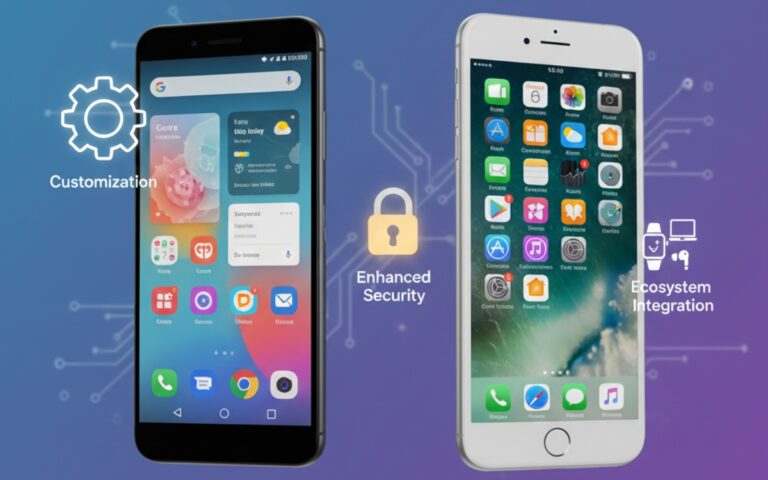
But if you’re on a tight budget, Android gives you way more options. You can get a phone that does 90% of what an iPhone does for literally half the price.
The “everyone has an iPhone so I need one” thing? It’s FOMO. Your phone choice doesn’t define you, despite what high school might have taught you.
Battery Life Reality Check
Let me be real about battery claims. When companies say “all-day battery,” they mean under ideal conditions that don’t exist in real life.
Your actual battery life depends on:
- Screen brightness (and you will need it high in sunlight)
- Apps running in background
- Signal strength (weak signal kills battery)
- How much you’re on social media
For actual all-day battery without anxiety, you want at least 4500mAh. The Moto G Power and Samsung A15 have 5000mAh. That’s the sweet spot.
Or just carry a power bank. I’ve had the same 10,000mAh Anker for three years. Cost $20, saved me countless times.
My Actual Recommendation
If I had to pick one phone for a typical student with a $300-400 budget, I’d go with the Samsung Galaxy A54 5G.
Why? It balances everything well. Good enough camera, solid battery, smooth performance, and will get updates for years. It’s not exciting, but it won’t let you down.
For those on a tighter budget, the Galaxy A15 5G at $200 is the move. It’s not perfect, but it’s reliable.
And if you can stretch to $550, the Pixel 8 is probably the best value smartphone you can buy right now, student or not.
Final Thoughts
Here’s what matters: Get a phone that fits your budget and does what you actually need. Don’t fall for marketing hype or FOMO.
I’ve watched friends stress over buying the “right” phone, then use it for the same three things: messaging, social media, and taking photos of their dog.
The phone doesn’t make you more productive. It’s a tool. Buy the tool that makes sense, then focus on actually using it to get through school.
And for the love of everything, put a case on it. Trust me on this one.
For more insights on choosing the right smartphone and maximizing your device’s potential, check out our complete smartphone buying guide and learn about smartphone performance optimization.