Mind Mapping Software: Tools That Actually Help You Think (Not Just Draw Pretty Diagrams)
I’ve got a confession: I used to think mind mapping was just fancy doodling for people who couldn’t use a regular to-do list. Then I tried to architect a microservices migration without one, and my whiteboard looked like a conspiracy theorist’s crime scene. Red strings everywhere. No joke.
That’s when I actually gave mind mapping software a real shot. Turns out, when you’re trying to untangle complex systems, debug architectural decisions, or plan a feature that touches twelve different services, your brain needs more than linear notes. It needs space to sprawl.
But here’s the thing: most mind mapping tools are either too simple (glorified flowcharts) or so feature-bloated they become another thing to learn instead of helping you think. I’ve tested probably fifteen of these over the past few years, and only a handful are worth your time.
Why Mind Mapping Software Beats Paper (Usually)
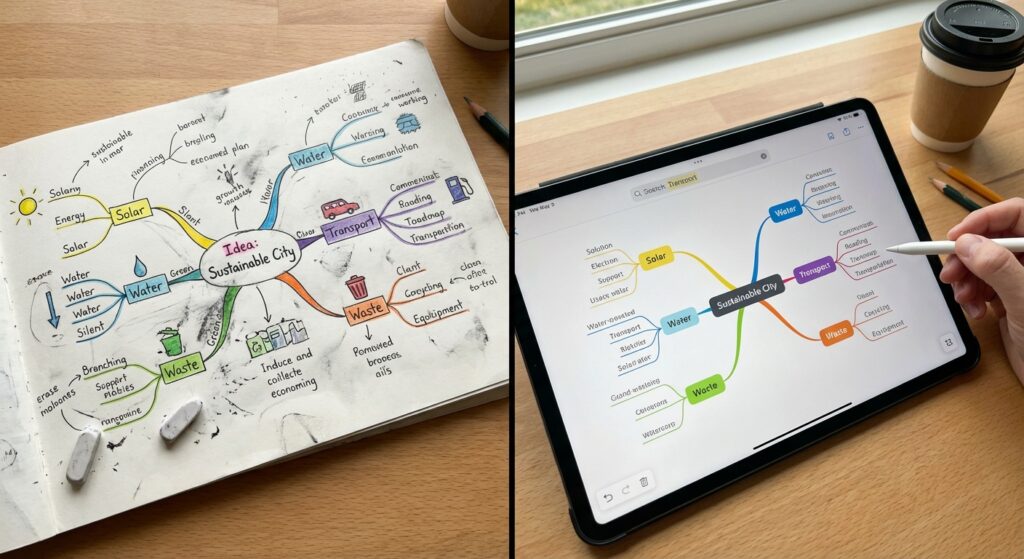
Look, I’m not going to pretend digital is always better. Sometimes a whiteboard and markers is exactly what you need. But software has some real advantages once you’re past the initial brainstorming phase.
You can actually find stuff later. I’ve lost count of brilliant ideas I sketched on paper during meetings that ended up in some notebook I’ll never see again. Digital mind maps are searchable. When I need to reference that API design discussion from three months ago, I can pull it up in seconds.
Links and attachments matter. Last week I was planning our Q2 roadmap. Being able to attach Jira tickets, link to documentation, and embed code snippets directly in the mind map meant everything was in one place. No context switching between twelve browser tabs.
Real-time collaboration works. During COVID, we had to whiteboard remotely. Trying to do that over Zoom screen share was painful. Mind mapping software that actually handles multiplayer editing saved our team meetings.
The downside? Sometimes you just want to sketch fast, and launching an app feels like overhead. I still keep a notebook around for that.
The Tools I Actually Use (And Why)

Obsidian with Canvas Plugin
I already use Obsidian for all my notes, so when they added the Canvas feature, I started using it for mind mapping too. It’s not a dedicated mind map tool, but that’s kind of the point.
What works: Everything lives in plain markdown files. I can link my mind maps directly to my project notes, meeting logs, whatever. The maps are just another view into my knowledge base. Plus, it’s local-first, so I’m not worried about some SaaS going down or changing their pricing.
What doesn’t: The UI isn’t as polished as dedicated tools. If you’re used to something like MindNode, Obsidian Canvas feels a bit clunky. And forget about fancy auto-layout features.
Real talk: This is my daily driver now, but only because I’m already deep in the Obsidian ecosystem. If you’re not, the learning curve might not be worth it just for mind mapping.
MindMeister for Team Stuff
When I need to collaborate with non-technical folks (product managers, designers), I use MindMeister. It’s the Google Docs of mind mapping. Dead simple, works in any browser, everyone can edit at once.
We used it to map out our entire customer onboarding flow. Had five people from different departments all adding nodes, moving things around, commenting. It actually worked without anyone needing a tutorial.
The catch: It’s subscription-based, and if you stop paying, your maps are stuck in their system. Also, the free tier is pretty limited. Three maps total, which fills up fast if you’re actually using it.
XMind for Solo Deep Dives
When I’m working through something complex alone, like designing a new system architecture or planning a technical blog series, I reach for XMind. It’s got all the features without feeling overwhelming.
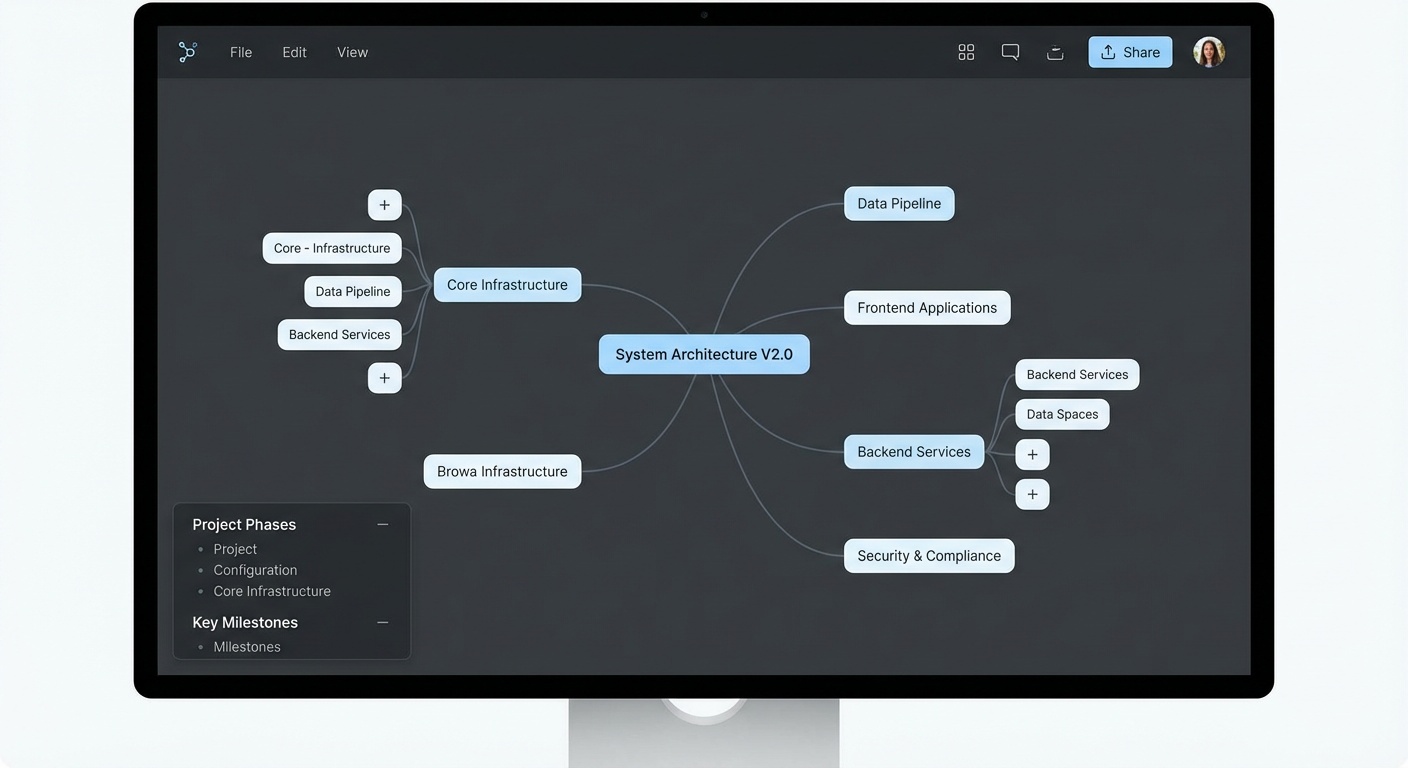
I used XMind to plan the migration from our monolith to microservices last year. Started with the current architecture, then branched out into services we needed, data flow, deployment considerations. By the time I was done, I had this massive map that became our migration roadmap.
Why it works: Solid export options (I’ve sent mind maps as PDFs to stakeholders who just see a nice diagram). Handles huge maps without lagging. Local files, so no internet required.
Where it fails: The UI looks like it’s from 2015. Not ugly, just dated. And the collaboration features exist but are nowhere near as smooth as MindMeister.
Miro When You Need More Than Mind Maps
Okay, Miro isn’t technically mind mapping software. It’s an infinite canvas tool that does mind maps plus flowcharts, wireframes, sticky notes, all that. But I’m including it because sometimes you start with a mind map and end up needing more.
Our last sprint planning turned into this hybrid thing with a mind map of epics connected to a Kanban board of tasks. Miro handled it. You can’t really do that in dedicated mind map tools.
The problem: It’s overwhelming at first. So many features, so many templates. And it’s expensive for teams. We have a company license, but I wouldn’t pay for it personally.
Features That Actually Matter (And Ones That Don’t)
After using these tools for a few years, I’ve figured out what features I actually care about versus what sounds cool but never gets used.
Must-haves:
Fast node creation. If I have to click three times to add a child node, the tool is getting in my way. Keyboard shortcuts are non-negotiable. Tab to indent, Enter for sibling nodes. Basic stuff, but some tools mess this up.
Flexible layouts. Sometimes I want a traditional tree structure. Sometimes I want nodes scattered on a canvas. Sometimes I want a flowchart-style layout. Good tools let you switch without rebuilding everything.
Decent export. I need to get my mind maps out as images, PDFs, or markdown. Bonus if I can export to formats other tools understand, because you never know when you’ll need to switch.
Don’t really need:
AI features. I’ve seen a few tools adding AI to auto-complete your mind maps or suggest nodes. It’s mostly gimmicky. The whole point of mind mapping is to externalize your thinking, not have a bot think for you.
Elaborate templates. Every tool wants to sell you fifty templates for project planning, SWOT analysis, whatever. I’ve used maybe two templates ever. Usually I just start blank and go.
Presentation mode. Some tools have this feature where you can turn your mind map into a slideshow. I’ve never used it. If I need to present something, I’ll build actual slides.
Common Mistakes I See (And Made Myself)
Over-organizing too early. When I first started using mind mapping for coding projects, I’d spend an hour making everything perfectly structured. Color-coded branches, icons for every node type, the works. Then I’d realize I needed to restructure the whole thing and all that organization was wasted.
Now I just dump ideas fast, then organize later. Turns out mind maps work better when you treat them like thinking tools, not finished artifacts.
Trying to make them reference documents. I used to build these elaborate mind maps with paragraphs of text in each node, thinking they’d be useful later. They weren’t. Mind maps are for structure and relationships, not detailed documentation. Keep nodes short. Link out to detailed docs if needed.
Not using links enough. The power of digital mind mapping is connections. Between nodes, between maps, to external resources. I see people just recreating what they’d do on paper, missing the whole point. If two concepts are related, link them. That’s how you spot patterns you’d miss in linear notes.
When Mind Mapping Doesn’t Work
Real talk: it’s not always the right tool. I don’t use mind maps for:
Sequential processes. If something has a clear order (deployment steps, onboarding checklist), a numbered list or flowchart works better. Mind maps are for when relationships aren’t strictly hierarchical.
Quick notes in meetings. Too much friction. I use a regular note-taking app and maybe build a mind map later if the topic needs it.
Data-heavy planning. When I’m dealing with actual numbers, timelines, resource allocation… that needs a spreadsheet or project management tool. Mind maps are for ideas, not data.
The Setup That Works for Me
After trying a bunch of approaches, here’s what stuck:
I keep Obsidian open all day for notes and quick mind maps. When something needs deeper thinking or I’m mapping system architecture, I’ll use XMind. If I need to collaborate with the team, I’ll move it to MindMeister or Miro depending on complexity.
The key is having one tool you’re comfortable with for daily use, then specialized options for specific needs. Don’t try to make one tool do everything.
Bottom Line
Mind mapping software is useful when you’re dealing with complex, interconnected ideas. System architecture, content planning, problem debugging, strategic decisions… basically anything where you need to see relationships, not just lists.
But it’s not magic. The tool doesn’t make you think better. It just gives you space to think visually. I’ve seen people get caught up in the tool itself, spending more time organizing their mind map than actually solving the problem.
Start simple. Pick one tool (Obsidian if you already use it, MindMeister for team stuff, XMind if you want a dedicated app). Use it for a month on real projects. If it’s not helping you think more clearly, try something else or admit that maybe mind mapping isn’t your thing. That’s fine too.
The best productivity tool is the one you’ll actually use consistently, not the one with the most features or the prettiest interface.
This article is part of our comprehensive guide on Software, Apps, and Productivity Tools. For more insights on productivity software, check out the full guide.
Related Articles
If you’re exploring different productivity tools, you might also find these helpful:
- Best Productivity Apps 2025 – A broader look at productivity tools beyond mind mapping
- Note-Taking Apps Guide – Sometimes plain notes work better than visual maps
- Project Management Software – When you need more structure than a mind map provides
- Mind Mapping Apps for Creativity – Deeper dive into creative uses of mind mapping tools