Refurbished and Second-Hand Smartphones: A Guide to Buying Smart Without Getting Burned
Look, I get it. New flagship phones cost more than my first car did. When I saw the iPhone 15 Pro price tag last year, I actually laughed out loud in the Apple Store. The sales guy was not amused.
So yeah, I’ve bought refurbished phones. Several times. And I’ve made some expensive mistakes along the way.
Here’s what I wish someone had told me before I handed over $400 for a “like new” Galaxy S21 that died three weeks later. (Spoiler: I got my money back, but it took two months and way too many angry emails.)
Why Refurbished Phones Actually Make Sense
The math is pretty simple. A phone that was $1,200 new becomes $600-700 refurbished after a year. That same phone still runs all your apps, takes great photos, and doesn’t feel outdated. You’re basically paying half price for 90% of the experience.
I’ve been using a refurbished Pixel 7 Pro as my daily driver for eight months now. Bought it for $480. It came in a plain box, had a tiny scratch on the aluminum frame that I can’t even see with a case on, and the battery health was at 91%. Works perfectly.
But here’s the thing. That success story came after I learned some hard lessons.
The Real Difference Between Refurbished, Renewed, and Used
This confused the hell out of me at first, so let me break it down:
Manufacturer Refurbished means the original company (Apple, Samsung, etc.) took back a returned or defective phone, fixed it, tested it, and resold it. These usually come with a warranty and are the safest bet. They’re also the most expensive refurb option.
Third-Party Refurbished is where companies like Gazelle, Back Market, or your local repair shop buy used phones, fix them up, and resell them. Quality varies wildly here. Some are fantastic. Others are… not.
Used/Second-Hand means you’re buying from another person directly. Could be through eBay, Facebook Marketplace, Craigslist, whatever. No warranty, no guarantee, all risk on you.
I’ve done all three. Manufacturer refurbs are boring but reliable. Third-party can be great if you know what you’re looking for. Direct used purchases are where I’ve gotten both my best deals and my worst nightmares.
What I Check Before Buying (The Non-Negotiables)
After getting burned once, I made myself a checklist. Here’s what I verify every single time:
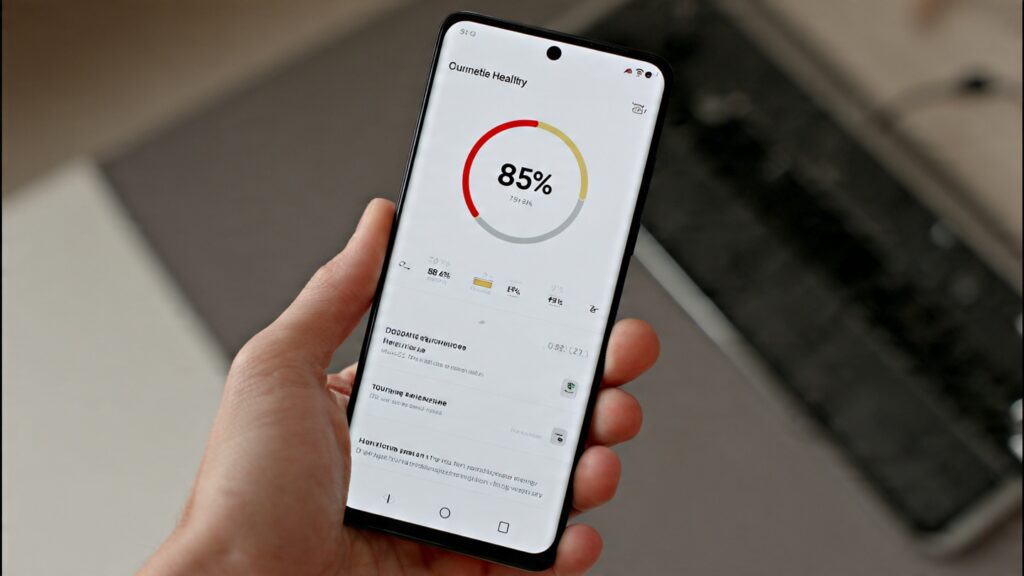
Battery Health is Everything
This is the big one. A phone with 70% battery health is going to die by 2 PM every day. You’ll end up replacing the battery anyway, which costs $80-100.
I don’t buy anything under 85% battery health anymore. Just not worth it. On iPhones, you can check this in Settings > Battery > Battery Health. Android varies by manufacturer, but most have it in Settings > Battery somewhere.
If a seller won’t tell you the battery health? Walk away. They’re hiding something.
IMEI Check (Yes, Really)
You need to verify the phone isn’t stolen, blacklisted, or still under a payment plan. I use sites like IMEI.info or the carrier’s own checker tool. Takes two minutes.
I once bought a “clean” phone that turned out to be carrier locked and reported as lost. The seller disappeared. My credit card company got my money back, but I wasted three weeks on it.
Screen and Housing Condition
Screens are expensive to replace. Like, sometimes more expensive than just buying a different used phone. Check for cracks, deep scratches, or discoloration. A few tiny scratches? Fine. A spiderweb crack across the display? Pass.
Same with the housing. Dents and dings are cosmetic and I don’t care much. But if the back glass is shattered or the frame is bent, there could be internal damage you can’t see.
All the Buttons and Ports Work
Sounds obvious, but test everything. Volume buttons, power button, charging port, headphone jack if it has one, speakers, cameras, Face ID or fingerprint sensor. Everything.
I’ve seen phones with cameras that wouldn’t focus or charging ports that only worked at a specific angle. These are repair shop visits waiting to happen.
Where to Actually Buy Refurbished Phones
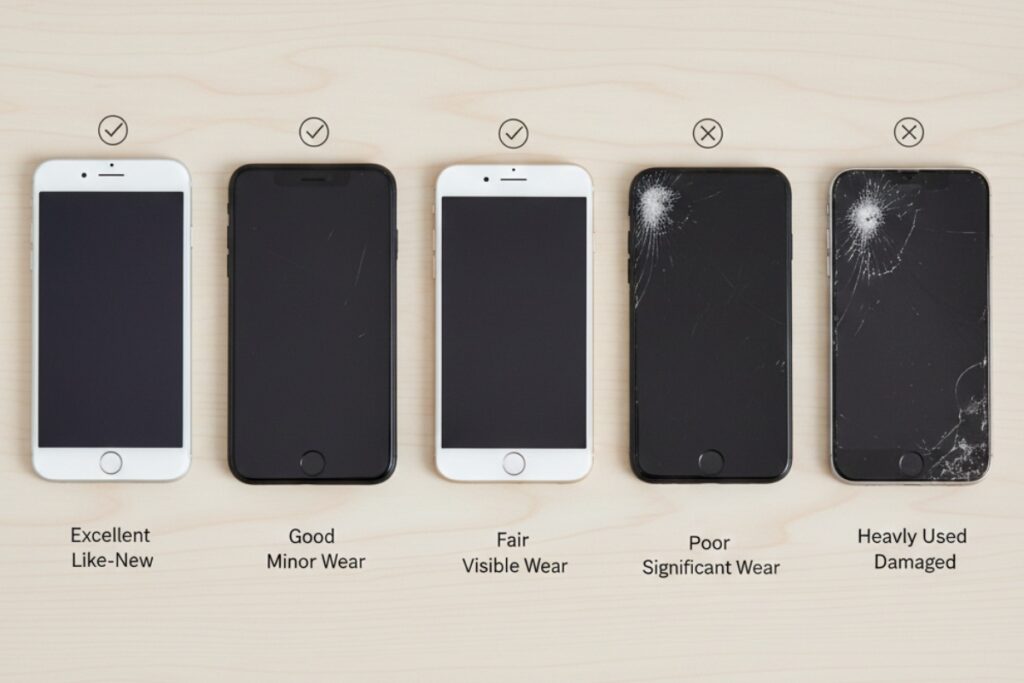
Not all sources are created equal. Here’s my honest take on each:
Apple/Samsung/Google Certified Refurbished
Pros: Warranty, guaranteed quality, peace of mind
Cons: Expensive (only about 15-20% off new prices)
If you want zero risk and don’t mind paying a premium, this is the move. Apple’s refurb store has been solid every time I’ve used it. You get the same one-year warranty as new.
Third-Party Refurbishers (Back Market, Gazelle, Decluttr)
Pros: Better prices, decent warranties (usually 6-12 months), graded quality levels
Cons: Quality can vary, customer service is hit or miss
I’ve had good luck with Back Market. They have a grading system (Fair, Good, Excellent) that’s pretty accurate. The “Fair” grade phones usually have visible wear but work fine. “Excellent” looks basically new.
Gazelle is okay but their prices aren’t always competitive. Decluttr I’ve only used once, no complaints but nothing special either.
Amazon Renewed
Pros: Easy returns through Amazon, familiar platform
Cons: Quality is wildly inconsistent because it’s just third-party sellers under the Renewed label
This is a mixed bag. Amazon’s return policy is the selling point here. I bought a “renewed” phone that had a loose charging port and returned it with zero hassle. But the quality control feels random.
eBay
Pros: Huge selection, can find great deals
Cons: Buyer beware, lots of scams, need to be careful
Only buy from sellers with tons of positive reviews specifically for phones. Check their return policy before you bid. Use PayPal for the buyer protection.
I’ve gotten amazing deals on eBay (picked up an iPhone 13 for $420 once), but I’ve also seen some sketchy listings. If it looks too good to be true, it probably is.
Facebook Marketplace / Craigslist
Pros: Can inspect in person, negotiate prices
Cons: Meet strangers, risk of theft/scams, no buyer protection
Always meet in public. I do police station parking lots. Most departments have designated areas for online transactions now.
Never ship the item or pay through apps like Zelle or CashApp. Cash only, after you’ve verified the phone works. And bring a friend if something feels off.
Red Flags That Scream “Don’t Buy This”
Some things should make you run away immediately:
- Seller won’t provide the IMEI number
- “iCloud locked” or “Google locked” (these are paperweights)
- Price is way below market (seriously, if everyone’s selling a phone for $500 and you find one for $250, there’s a reason)
- No returns accepted on expensive electronics
- Stock photos instead of actual photos of the device
- Seller has brand new account with no history
- They pressure you to buy quickly (“other buyers interested!”)
Trust your gut. If something feels wrong, it probably is.
The Warranty Question
Here’s the thing about warranties. Manufacturer refurbs come with them. Third-party refurbishers usually offer 6-12 months. Direct used purchases? You’re on your own.
I always try to get at least a 90-day warranty. That covers the “it looked fine but died two weeks later” scenario. Longer is better, obviously.
Some credit cards (like certain Amex cards) extend warranties on purchases. Worth checking if yours does.
How Much Should You Actually Pay?
Rough pricing guide based on what I’ve seen recently:
A one-year-old flagship phone should be about 40-50% off the original price when refurbished. Two years old? 60-70% off. Three years old gets dicey because software support starts running out.
For example, if a phone launched at $1,000:
- 1 year old refurb: $500-600
- 2 years old refurb: $300-400
- 3 years old refurb: $200-250
If you’re paying more than this, you’re probably overpaying. If you’re paying way less, make sure you know why.
My Personal Buying Process
This is what I do now, every time:
- Research which phone I want and what it should cost refurbished
- Check battery health and IMEI before even considering purchase
- Read seller reviews if buying from a marketplace
- Verify return policy (minimum 14 days, preferably 30)
- Test everything immediately when it arrives
- Document any issues with photos/video
- Don’t remove protective films or stickers until I’m sure I’m keeping it
If anything seems wrong in the first week, I return it. No questions, no second thoughts. It’s not worth the headache.
Software Support Matters More Than You Think
One thing I didn’t consider on my first refurb purchase: how long the phone would get software updates.
I bought a three-year-old Android phone for cheap. It stopped getting security updates six months later. Bad move.
Now I check:
- iPhones get about 5-6 years of iOS updates
- Samsung flagship phones get 4 years of major updates
- Google Pixels get 3-7 years depending on the model
- Most other Android phones? 2-3 years if you’re lucky
Don’t buy a phone that’s already near the end of its support window unless you really don’t care about updates.
Should You Buy AppleCare or Insurance?
For a refurb phone? Probably not worth it.
AppleCare costs $200 for two years on most iPhones. If your refurb phone cost $500, that’s a 40% insurance premium. Just… no.
Your money is better spent buying from a reputable seller with a good warranty. And honestly? If something major breaks, it might be cheaper to buy another refurb than to pay for the repair.
I do keep my phones in good cases though. A $30 case beats a $300 screen replacement any day.
The Bottom Line
Buying refurbished or second-hand phones isn’t risky if you know what you’re doing. I’ve saved thousands of dollars over the years doing this, and I’ve had maybe two bad experiences out of a dozen purchases.
The key is being patient, doing your homework, and not getting caught up in a deal that seems too good. Check the battery, verify the IMEI, test everything, and only buy from sources with decent return policies.
And if you’re still nervous? Start with manufacturer refurbs or established third-party sellers. You’ll pay a bit more but you’ll sleep better at night.
Real talk: there’s no reason to pay $1,200 for a new phone when you can get last year’s model for half price and it works exactly the same. Your Instagram photos will look identical, I promise.
This article is part of our comprehensive guide on Smartphones and Mobile Technology. For more insights on choosing the right device, check out our complete resource.
Related Articles:
- Looking for phones that won’t break the bank? Check our Best Budget Smartphones guide
- Not sure which phone to buy? Our Smartphone Buying Guide covers everything
- Ready to sell your old device? Here are Tips for Selling Your Smartphone
- For students on a budget, see our Best Smartphones for Students roundup