Best Smartphones for Business Use: Real-World Picks from Someone Who’s Lost Data Twice
I learned about business phone priorities the hard way. Three years ago, I dropped my personal iPhone in a parking lot after a client meeting. Gone. And with it? Unsynced notes from two sales calls, a dozen unread emails, and photos of a whiteboard strategy session.
That’s when I got serious about what actually matters in a business phone. Spoiler: it’s not the camera megapixels.
This article is part of our comprehensive guide on Smartphones and Mobile Technology. For the full guide, check out the main hub.
What Actually Makes a Phone “Business Ready”
Here’s the thing most reviews get wrong. They’ll tell you about processors and display brightness, but they won’t mention what happens when your phone dies at 2 PM during a conference or when your IT department needs to wipe it remotely after you leave it in an Uber.
After using various phones across three companies (startup, mid-size, and enterprise), here’s what genuinely matters:
Security that actually works. Not just a fingerprint sensor. I’m talking Knox-level security, encrypted containers, and the ability to separate work and personal data without carrying two phones.
Battery life that survives real workdays. If I’m checking emails at 6 AM and taking calls until 6 PM, the phone better not die during my commute home. I’ve been there. It sucks.
Software updates you can count on. When your company’s VPN client needs Android 13 minimum and you’re stuck on 11 because Samsung forgot about your model? Yeah, that conversation with IT isn’t fun.
Integration with actual business tools. Can it handle your company’s MDM (Mobile Device Management)? Does it play nice with Microsoft 365, Slack, Zoom, and whatever project management nightmare your team uses?
The Phones I’d Actually Recommend
Let me break down the phones I’ve used or watched colleagues use in business settings. These aren’t theoretical picks. These are “I’ve seen them survive two years of abuse” recommendations.
iPhone 15 Pro / Pro Max: The Safe Bet
Look, I know it’s boring to recommend iPhones. But there’s a reason half the executives I’ve worked with use them.
Why it works for business:
- Updates for 5+ years (my iPhone 11 from 2019 still runs iOS 17)
- Your IT department knows how to support it
- Face ID that actually works in dim conference rooms
- iCloud backup that saved me when I dropped that phone
Real talk: The regular iPhone 15 works fine too. The Pro features (better camera, slightly faster chip) don’t really matter for email and Slack. Save your company the $200.
I use the Pro Max mainly because the battery lasts a full day even with heavy use. On travel days when I’m navigating, taking calls, and responding to messages constantly, it still has 20% at bedtime.
Downside: You’re locked into Apple’s ecosystem. If your company uses Android-specific tools or requires deeper customization, you’ll hit walls.
Samsung Galaxy S24 Ultra: The Power User Choice
This is what I’d pick if I needed maximum flexibility and my IT department actually knew Android.
Why it’s solid:
- Samsung Knox (their security platform) is legit. I’ve seen it pass enterprise security audits.
- S Pen is surprisingly useful for signing documents and quick notes
- DeX mode turns it into a laptop replacement if you need it
- Four years of OS updates + five years of security patches
I watched a colleague run his entire sales pipeline from an S23 Ultra last year. He’d plug it into hotel TV screens for presentations, sign contracts with the stylus, and handle video calls that didn’t look like garbage.
The catch: The camera bump is ridiculous. And you’ll want to check if your company’s MDM supports all the Knox features. Some older systems don’t.
If you’re interested in how the S24 Ultra compares to other flagships, check out our flagship smartphone reviews for detailed comparisons.
Google Pixel 8 Pro: The Dark Horse
Nobody talks about Pixels for business, but hear me out. I set one up for a startup founder last year, and she’s still happy with it.
Why it’s underrated:
- Seven years of updates. SEVEN. That’s better than Samsung.
- Clean Android without bloatware slowing things down
- Best spam call filtering I’ve ever used (Google’s Call Screen is magic)
- Titan M2 security chip handles encryption well
The reality check: It’s not as widely supported by enterprise IT departments. You might need to convince them it’s not just a “consumer phone.” Also, the battery life is good but not S24 Ultra good.
Best for: Small to mid-size companies with flexible IT policies, or if you’re self-employed and want something that just works without Samsung’s extra apps.
iPhone SE (2022): The “Just Give Me Email” Option
Sometimes you don’t need a $1,200 phone. If your job is mainly communication and light document work, the SE makes sense.
Why I recommend it:
- Starts under $500
- Same chip as iPhone 13, so it’s plenty fast
- Touch ID (some people prefer it to Face ID, especially with masks)
- Fits in normal pockets
I know three real estate agents who use these. They’re on the phone and checking MLS listings all day. They don’t need ProRAW photos or 120Hz displays.
Warning: The battery is… not great. You’ll probably need a midday charge if you’re heavy user. And the screen is small. If you’re reading lots of documents or spreadsheets, you’ll want something bigger.
Security Features That Actually Matter
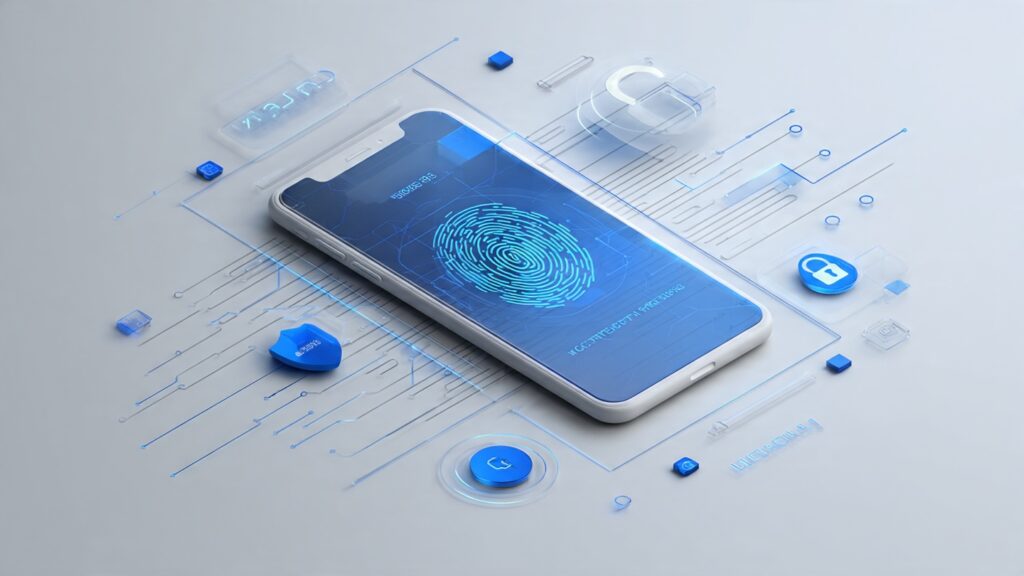
After dealing with a security incident at my last company (someone’s phone got stolen with unencrypted client data), here’s what I check now:
Biometric authentication that works reliably. Face ID, in-display fingerprint, whatever. Just make sure it doesn’t fail half the time so you’re tempted to turn it off.
Hardware-backed encryption. Both iOS and recent Android flagships have this. It means your data is encrypted at the chip level, not just software.
Remote wipe capability. You will lose a phone eventually. Make sure your company can wipe it remotely. I’ve seen this save a company from a GDPR nightmare.
Secure folder or work profile. Samsung’s Secure Folder and Android’s work profile feature let you separate business apps and data. It’s like having two phones without carrying two phones.
Want to dive deeper into protecting your device? Our smartphone security tips guide covers everything from two-factor authentication to avoiding phishing attacks.
Battery Life: The Real Productivity Killer

I don’t care how powerful your phone is if it dies at 3 PM.
Here’s my reality: I’m usually off charger by 6:30 AM. Throughout the day, I’ll have 2-3 video calls, constant Slack and email, probably some document reviewing, and navigation if I’m traveling. I need the phone to last until at least 9 PM.
Phones that actually make it:
- iPhone 15 Pro Max (usually 25-30% left)
- Samsung S24 Ultra (similar performance)
- iPhone 15 Pro (closer, maybe 15% left)
Phones that struggle:
- Pixel 8 Pro (need a midday top-up on heavy days)
- iPhone SE (absolutely need a midday charge)
- Any phone older than 2 years (battery degradation is real)
For more battery optimization strategies across different devices, check our smartphone battery life tips article.
Integration with Business Tools
This is where theory meets reality. A phone can have amazing specs, but if it won’t connect to your company’s Wi-Fi or VPN, it’s useless.
Microsoft 365: Works fine on both iOS and Android. The Office apps are solid on both platforms. OneDrive sync is better on iOS in my experience, but both work.
Google Workspace: Slightly better on Android (obviously), but iOS support is good too. If your company lives in Gmail and Drive, either platform works.
Slack/Teams: Both platforms handle these fine. Video calls work well on newer phones with decent front cameras.
VPN and MDM: This is where you need to check with your IT department. Some MDM solutions work better with iOS. Some companies require Knox for Android. Ask before buying.
The Accessories You’ll Actually Need
Nobody mentions this, but accessories matter more for business phones.
A good case. Not a $10 Amazon special. I dropped my S23 in a parking garage, and the Spigen case saved it. The phone lived. The screen protector cracked but did its job.
Fast charger for your desk. USB-C for Android, USB-C or MagSafe for iPhone. Being able to top up quickly during lunch matters.
Backup power bank. I keep an Anker 10,000mAh in my laptop bag. It’s saved me multiple times during travel days.
Decent earbuds with a mic. For video calls. Your built-in speaker sounds terrible on calls. Get something like AirPods Pro or Galaxy Buds that has good mic quality.
For a complete breakdown of must-have accessories, visit our smartphone accessories guide.
What About Foldables?
I get asked this a lot. Should you get a Galaxy Z Fold for business?
I’ve tried one for three months. Here’s my honest take: They’re cool, but not practical yet for most business users.
The good: The big screen is amazing for reviewing documents and multitasking. You can actually work on spreadsheets.
The bad: They’re thick when folded, the crease is noticeable, and I worried constantly about breaking it. Also expensive to repair.
My advice: Wait another generation unless you specifically need that form factor. The technology is getting better, but it’s not there yet for everyday business abuse.
If you’re curious about foldables, we’ve got a detailed breakdown in our foldable smartphones explained article.
Common Mistakes I See People Make
Buying last year’s flagship thinking it’s a deal. Sometimes it is. But check the software update timeline. If it’s already two years old, you’re getting cut off from updates sooner.
Ignoring storage. Get at least 256GB if you’re using your phone for work. Apps, cached data, photos from meetings, and downloaded presentations add up fast. I ran out of space on a 128GB phone in under a year.
Not setting up cloud backup immediately. Do this on day one. Not next week. Day one. I learned this lesson twice.
Choosing the cheapest plan. If your company pays for your phone, get the better model. The productivity difference between a good phone and a mediocre one is real.
The Bottom Line
If you want the straightforward answer: Get an iPhone 15 Pro or Samsung Galaxy S24 Ultra. They’re boring picks, but they work. Your IT department won’t fight you, they’ll last 3-4 years, and they’ll handle whatever you throw at them.
If you’re budget-conscious or working at a startup: Pixel 8 Pro or regular iPhone 15.
If you just need email and calls: iPhone SE or a mid-range Samsung like the A54.
The best business phone isn’t the one with the most features. It’s the one that doesn’t make you think about it. It just works when you need it to work.
I’ve been through enough phones now to know: reliability beats specs every time. Pick something that’ll survive your workday, get security updates for years, and won’t die during your commute.
And for the love of all that’s holy, set up two-factor authentication and enable remote wipe. Learn from my parking lot disaster.