Smartphone Accessories Guide: What Actually Works (And What’s Just Marketing)
So you’ve got your shiny new phone. Great. Now comes the fun part: spending another $200 on accessories you may or may not actually need.
I’ve been through this cycle more times than I’d like to admit. Last year alone, I bought four different “premium” phone cases before finding one that didn’t make my phone feel like a brick. And don’t even get me started on the wireless charger that turned out to be slower than just plugging the damn thing in.
Here’s what I’ve learned after years of trial and error (and way too much money spent on Amazon).
This article is part of our comprehensive guide on Smartphones and Mobile Technology. For everything else phone-related, check out the main guide.
The Accessories You Actually Need
Look, the smartphone accessory market is a mess. There’s a million options for everything, half of them are garbage, and the expensive ones aren’t always better. Let me break down what’s worth your money.
Phone Cases: Protection vs. Practicality
Real talk: I dropped my iPhone 13 Pro face-down on concrete without a case once. Once. Never again.
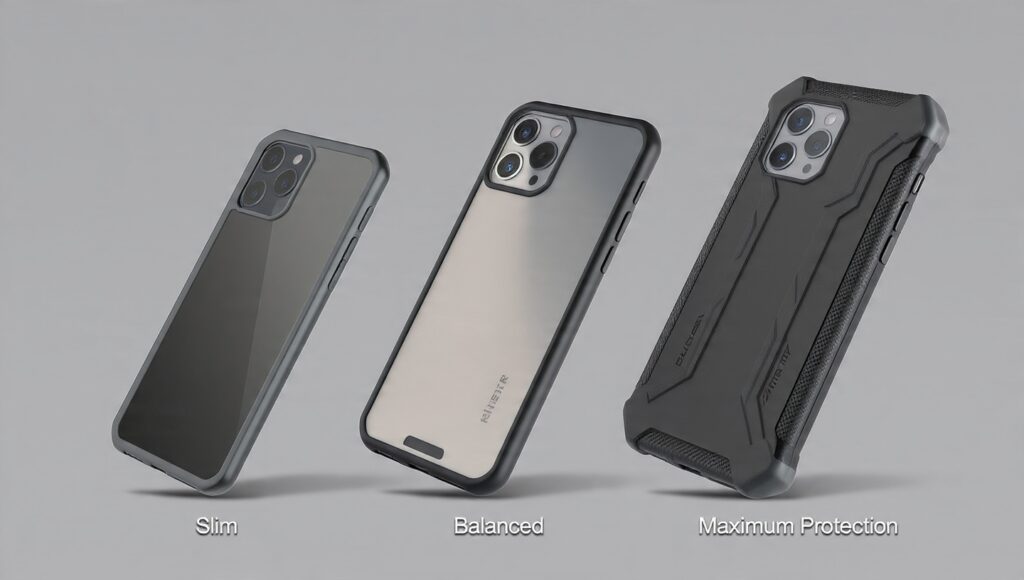
But here’s the thing. Most people go overboard. You don’t need a $60 OtterDefender case unless you’re working construction or have the coordination of a toddler. I’ve found the sweet spot is around $20-30 for something like a Spigen Tough Armor or a Caseology case.
What actually matters in a case:
- Raised edges around the screen (saved me multiple times)
- Decent grip so the phone doesn’t slide off every surface
- Not so bulky you can’t use it one-handed
- Wireless charging compatible (if you care about that)
I’m currently using a Spigen Liquid Air case on my Pixel 8. Cost me $15. It’s survived six months of drops, and my phone still looks new. Compare that to the $45 “leather” case I bought that started peeling after three weeks.
Pro tip: If you want better smartphone protection, pair a decent case with a tempered glass screen protector. I use the ones from amFilm. They’re like $8 for a two-pack, and they’ve saved my screen more times than I can count.
Chargers and Cables: Stop Buying Junk
Here’s what nobody tells you about phone chargers: most of them are lying about their specs.
I tested this last month. Bought three “fast chargers” off Amazon that all claimed 20W output. Used a USB power meter to check them. One was actually 12W, one was 18W, and the third one… well, it worked but got hot enough to fry an egg.
Just buy the official charger. Or if you’re cheap like me, stick with known brands:
- Anker (PowerPort series is solid)
- Belkin (expensive but reliable)
- Apple or Samsung official chargers
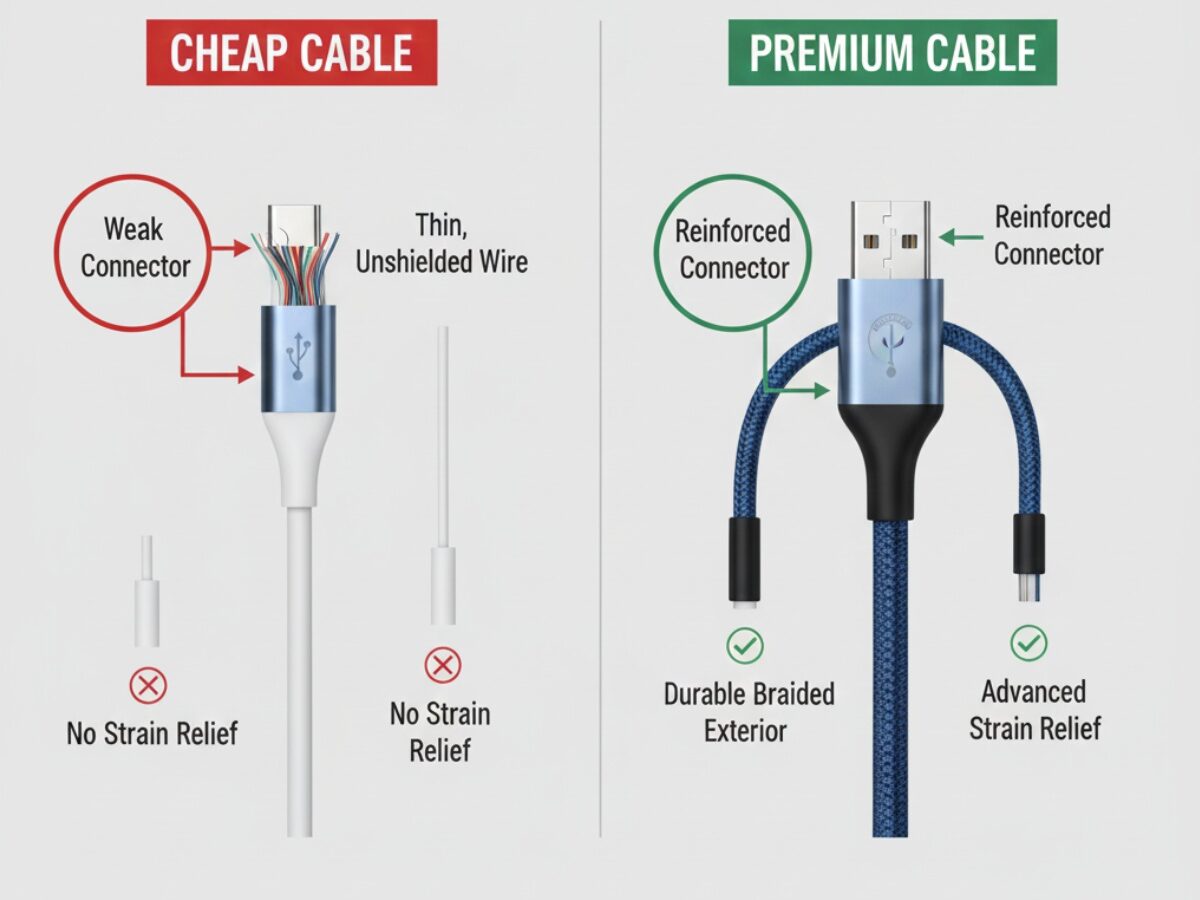
For cables, I’ve had good luck with Anker Powerline cables. The braided ones. Regular cables last me maybe four months before the lightning connector starts acting weird. The Anker ones? Still using one from 2022.
Cable buying rules I follow:
- MFi certified for iPhones (the little chip matters)
- USB-IF certified for Android (yes, it’s a thing)
- Minimum 3ft length (6ft for bedside)
- Braided or reinforced ends
And for the love of god, stop buying those 10-foot cables. They look convenient but the voltage drop means slower charging. Physics is annoying like that.
Wireless Chargers: Sometimes Convenient, Often Slow
I’ve got a Anker 313 Wireless Charger on my desk. It’s great for just dropping my phone while I work. But here’s what the marketing doesn’t tell you: wireless charging is slower and less efficient than cable charging.
My Pixel 8 charges to 80% in about 50 minutes with the cable. Same phone on the wireless charger? Hour and twenty minutes. And it gets noticeably warmer, which isn’t great for battery longevity.
When wireless charging makes sense:
- Desk setup where you’re picking up your phone constantly
- Bedside table (no cable fumbling at 3 AM)
- Car mounts (more on this later)
When it doesn’t:
- When you actually need to charge fast
- If your case is thick (over 5mm kills efficiency)
- If you use your phone while charging (can’t exactly do that wirelessly)
If you want to dive deeper into keeping your phone alive longer, check out our guide on smartphone battery life tips.
The Nice-to-Have Accessories
These won’t change your life, but they’re worth considering depending on how you use your phone.
Screen Protectors: Yes, You Need One
I used to think screen protectors were unnecessary. “Gorilla Glass is tough enough,” I’d say. Then I got a tiny scratch right in the middle of my screen from having my keys in the same pocket. Drove me insane for six months.
Now I always use tempered glass protectors. They’re cheap, easy to apply (mostly), and when they crack, your actual screen is fine.
Installation tip that saved me: Do it in your bathroom after running hot water for a few minutes. The steam settles all the dust in the air. Sounds crazy, works perfectly.
PopSockets and Phone Grips
I resisted these for years. Thought they looked ridiculous. Then I tried one on a friend’s phone and… yeah, I get it now.
Makes one-handed use way easier, especially on these massive phones we all carry now. My Galaxy S24+ is 6.7 inches. Without a PopSocket, I’m constantly doing that thumb stretch that makes my hand cramp.
Reality check: They make wireless charging annoying. Most PopSockets now have a removable base, but it’s still one more thing to deal with. I ended up using a PopSocket on my work phone and skipping it on my personal phone that I wirelessly charge.
Headphones and Earbuds: The Endless Debate
This could be its own article. Actually, it is. Check out our guide to the best smartphone apps which includes music and podcast recommendations that pair great with good earbuds.
Quick version: I’ve tried everything from $20 gas station buds to $300 Sony WH-1000XM5s. For most people, something in the $100-150 range hits the sweet spot.
Currently using Jabra Elite 85t earbuds. Sound’s good, ANC works, they don’t fall out when I’m running. That’s all I need.
Car Mounts and Holders
If you use your phone for navigation (who doesn’t?), get a proper car mount. I’ve tried the adhesive ones, the CD slot ones, and the vent clips.
What works:
- iOttie Easy One Touch mounts (the vent ones)
- Any mount with MagSafe if you’ve got an iPhone 12 or newer
- Wireless charging car mounts (but only if your commute is over 20 minutes)
What doesn’t:
- Suction cup mounts (they fall off in heat)
- Dashboard adhesive (leaves residue and fails in summer)
- Cheap magnetic mounts (your phone slides off the first time you brake hard)
The Accessories You Probably Don’t Need
Let me save you some money.
Phone Sanitizers
Those UV sanitizer boxes? Yeah, I bought one during the pandemic. Used it maybe ten times. Just wipe your phone with a microfiber cloth and some isopropyl alcohol. Takes 30 seconds, costs basically nothing.
Fancy Styluses
Unless you’ve got a Samsung Galaxy with S Pen support or you’re doing actual digital art, you don’t need a $100 stylus. The cheap ones work fine for basic note-taking.
Smartphone Printers
Bought a portable photo printer two years ago. Sounded cool. Reality? The prints fade, the special paper is expensive, and your photos already look better on your screen. Save your money.
Battery Cases
These used to make sense when phone batteries sucked. Now? Most phones last all day easily. If you need more juice, get a portable power bank. More versatile and works with all your devices.
For more on maximizing your phone’s built-in battery, our smartphone performance tips cover optimization tricks I actually use.
How to Actually Shop for Accessories
Here’s my process after years of buying stuff I didn’t need:
Before you buy anything:
- Use your phone for a month without accessories (except a basic case)
- Notice what’s actually annoying you
- Then shop for solutions to those specific problems
When comparing products:
- Read the 3-star reviews (they’re usually honest)
- Check if the seller responds to negative reviews
- Look for reviews with photos (fakes rarely have them)
- Be suspicious of anything with only 5-star reviews
Price rules I follow:
- Cases: $15-30 sweet spot
- Cables: $10-15 for quality
- Chargers: $20-40 depending on wattage
- Screen protectors: $8-12 for a two-pack
- Everything else: if it costs more than 10% of your phone’s price, really think about it
My Current Setup (What I Actually Use)
I’m using a Pixel 8 right now. Here’s what’s in my accessory rotation:
- Spigen Liquid Air case ($15)
- amFilm tempered glass screen protector ($8)
- Anker 735 Charger for travel ($60, charges everything)
- Anker Powerline III cables ($12 each, got three)
- Jabra Elite 85t earbuds ($150, worth it for ANC)
- iOttie car mount ($25)
Total: About $270 in accessories for an $800 phone. That’s probably on the high end, but everything gets daily use.
Final Thoughts
Look, you don’t need a massive collection of accessories. Most of them end up in a drawer after a few months anyway.
Start with the basics: a decent case, a good charger, and a screen protector. Everything else? Buy it when you actually need it, not when Amazon tells you it’s on sale.
And if you’re trying to decide between two products, remember: the one that’s actually in stock and ships tomorrow is better than the “perfect” one that’s backordered for three weeks. Use what works, don’t overthink it.
Want to make sure you’re choosing the right phone in the first place? Check out our smartphone buying guide before you spend on accessories for the wrong device.