

Top Laptops for Remote Work: What Actually Matters When Your Office Is Anywhere
So here’s the thing: I’ve been working remotely for four years now, and I’ve learned the hard way that your “perfect” office laptop becomes a liability the second you’re working from a coffee shop with spotty WiFi and three hours of battery left.
Last year, I watched my teammate’s brand new gaming laptop overheat during a client presentation because its fans sounded like a jet engine on Zoom. Not ideal when you’re trying to look professional.
This article is part of our comprehensive guide on Computers, Laptops, and Accessories. For the full guide on choosing the right tech setup, check out the main resource.
Remote work changes everything about what you need in a laptop. It’s not just about specs anymore. It’s about battery life when you forget your charger. It’s about webcam quality when your career depends on video calls. It’s about weight when you’re carrying it to three different locations in one day.
Let me walk you through what actually matters, based on machines I’ve used and mistakes I’ve made.
What Remote Work Really Demands from Your Laptop
Before we get into specific models, let’s talk about what’s different. When I worked in an office, my laptop was plugged in 90% of the time. Now? I’m lucky if I’m near an outlet half the day.
Here’s what changed for me:
Battery life went from “nice to have” to “deal breaker.” I need 8-10 hours minimum. Not the marketing claims, the real-world usage with Slack, Chrome, and Zoom all running.
Webcam quality matters way more than I expected. Most laptop webcams are terrible. You’ll look like a grainy blob in meetings, and honestly, that affects how people perceive you. I upgraded to a laptop with a 1080p webcam and the difference in meeting reactions was noticeable.
Weight and build quality became crucial. When you’re moving between home office, coffee shop, and coworking space, those extra pounds add up. I switched from a 5.2lb laptop to a 3.1lb one and my shoulder thanks me daily.
Thermal management is everything. Your lap gets hot. Your desk at the coffee shop has no airflow. If your laptop sounds like it’s about to take off during a Zoom call, you’ve got a problem.
The Laptops That Actually Work for Remote Life
I’m going to be straight with you. I’ve tested about a dozen laptops over the past two years for remote work. Some were great on paper, terrible in practice. Here’s what held up.
Best Overall: Dell XPS 13 Plus (2024)
Look, I know everyone recommends the XPS 13. There’s a reason. It just works.
Specs that matter:
- 13.4″ display (1920×1200)
- Intel Core Ultra 7 or AMD Ryzen 7
- 16GB RAM minimum (32GB if you’re doing video work)
- 512GB SSD
- Weight: 2.8 lbs
- Real battery life: 9-11 hours with normal use
I’ve been using the 2024 model for six months. The battery estimates are honest for once. The webcam is actually usable (1080p). The keyboard feels great for long writing sessions.
The gotcha: The touch bar is weird at first. Took me about a week to stop missing physical function keys. Also, if you need a ton of ports, you’ll need a dock. It’s got two Thunderbolt 4 ports and that’s it.
Best for: People who need a reliable workhorse that won’t embarrass them on video calls.
If you’re still deciding between different form factors, check out our guide on Ultrabooks vs Traditional Laptops to understand the tradeoffs.
Best Battery Life: MacBook Air M3 (2024)
I’m not an Apple fanboy, but damn. The M3 Air gets ridiculous battery life.
Real-world experience: 14-16 hours. I’m serious. I’ve gone two full workdays without charging. The M3 chip sips power like nothing I’ve seen.
Specs:
- 13.6″ or 15″ display options
- Apple M3 chip (8-core CPU)
- 16GB unified memory (don’t get the 8GB model)
- 512GB storage
- Weight: 2.7 lbs (13″) or 3.3 lbs (15″)
What works: Silent operation. Zero fan noise, ever. The webcam is 1080p and looks sharp. The keyboard and trackpad are industry-leading.
The trade-offs: You’re in the Apple ecosystem. If you need Windows-specific software, you’re using Parallels or dual-booting. Also, upgrading RAM or storage after purchase? Not happening. Spec it right the first time.
I recommended this to my designer friend who takes calls all day. She’s gone three years without issues. The reliability is unmatched.
For students or budget-conscious remote workers, we’ve got recommendations in our Best Laptops for Students guide that cover similar ground.
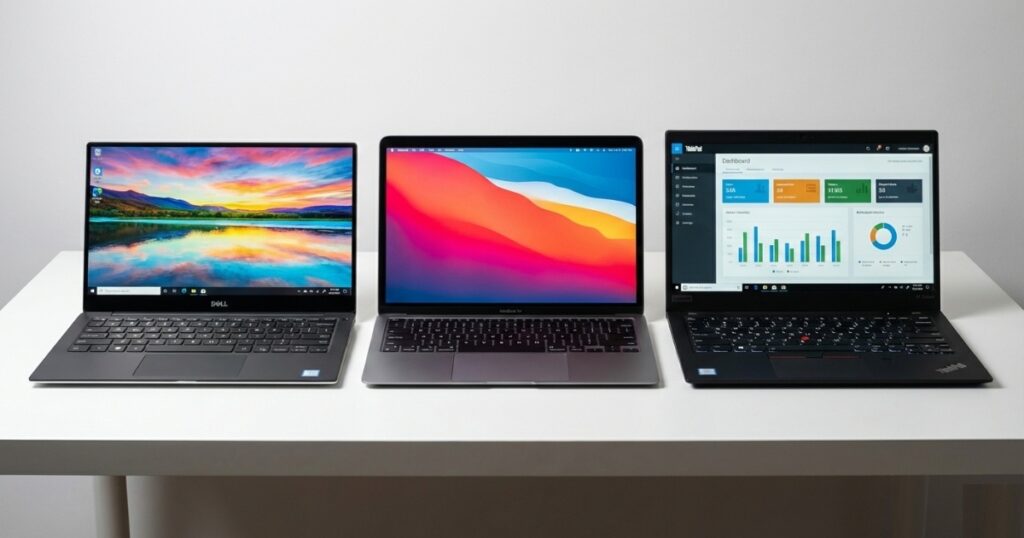
Best for Heavy Multitaskers: ThinkPad X1 Carbon Gen 12
If you’re the person with 47 browser tabs, Slack, three IDEs, and a video call all running simultaneously, listen up.
Why it handles load:
- Intel Core Ultra 7 (Series 2)
- Up to 64GB RAM (finally!)
- 14″ display (1920×1200 or 2880×1800)
- Weight: 2.48 lbs
- Battery: 7-9 hours realistically
The ThinkPad keyboard is still the best typing experience in the business. I can write for hours without hand fatigue. The TrackPoint (that red nub) seemed gimmicky until I tried it. Now I’m spoiled. Moving your hand to the trackpad constantly adds up.
Warning: Battery life isn’t as impressive as the others. You’ll want your charger nearby. But if you’re primarily at home or coworking spaces with outlets, it’s a beast.
Pro tip: Get the 1920×1200 display, not the 4K. The 4K looks amazing but kills battery life. For remote work, the lower-res screen is plenty sharp and saves 2-3 hours of runtime.
Best Budget Option: ASUS Zenbook 14 OLED
Not everyone’s dropping $1,500+ on a laptop. I get it.
The value:
- 14″ OLED display (looks incredible)
- AMD Ryzen 7 or Intel Core i7
- 16GB RAM
- 512GB SSD
- Weight: 3.08 lbs
- Price: $800-1,000
I tested this for a month when my main laptop was being repaired. Honestly? It punched way above its price point. The OLED screen made my $1,800 ThinkPad jealous.
Trade-offs: Build quality isn’t premium. It’s plastic, feels a bit flex-y. Webcam is mediocre (720p). Battery life is decent at 7-8 hours, but not amazing.
Who should get this: Remote workers on a budget who can deal with a “good enough” webcam and don’t mind charging mid-afternoon.
If budget is your primary concern, definitely read through our Best Budget Desktops article too. Sometimes a desktop plus cheap secondary laptop makes more sense.
Real Talk: Specs That Actually Matter
Let me save you some research time.
RAM: 16GB Minimum
Don’t let anyone convince you 8GB is enough in 2025. It’s not. Video calls eat RAM. Having Slack, Chrome, and your work apps open simultaneously needs headroom.
I tried working on an 8GB machine for a week. The constant tab refreshing and app swapping made me want to throw it out a window.
Storage: 512GB Sweet Spot
256GB fills up fast with work files, Zoom recordings, and app caches. 1TB is overkill unless you’re doing video editing. 512GB is the balance point.
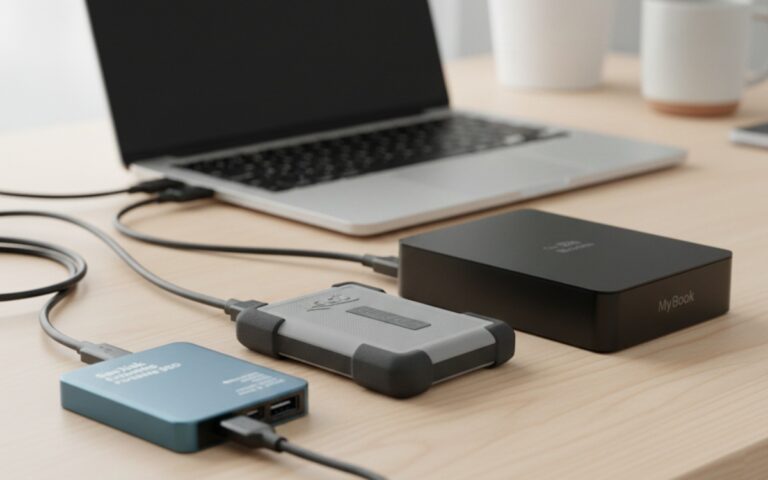
Pro tip: Get an external hard drive for backups and archive files. Don’t rely solely on your laptop’s internal storage.
Display: Size vs Portability
13-14″ is ideal for remote work. Portable enough to carry everywhere, large enough to actually get work done.
I tried working on a 15″ laptop for mobility. Sounds good, right? Extra screen space! Except it didn’t fit on coffee shop tables well, and that extra pound got annoying fast.

What About Accessories?
Your laptop is half the equation. Here’s what made my remote setup actually functional:
Laptop stand: Raises the screen to eye level. My neck pain disappeared after I started using one. $30 investment, massive quality of life improvement.
External webcam: If your laptop webcam is garbage (most are), a Logitech C920 for $70 makes you look professional.
Portable monitor: Changed my life when working from coffee shops. 13″ extra screen space in a slim package. We’ve got a full guide on Portable Monitors for Laptops.
Quality headset: Background noise is real. A decent headset with noise cancellation saves your calls. Check our Best Headsets for Computers roundup.
The Mistakes I Made (So You Don’t Have To)
Mistake 1: Prioritizing performance over battery life. My first remote work laptop was a powerhouse. It also died after 4 hours. I spent more time hunting for outlets than working.
Mistake 2: Ignoring webcam quality. I looked terrible in meetings for a year before I realized it was my potato-quality 720p webcam. Your appearance on video calls matters more than you think.
Mistake 3: Getting a heavy laptop “because specs.” That extra GPU and cooling system added 2 pounds. My shoulder hated me. Unless you’re gaming or doing 3D rendering, you don’t need that weight.
Mistake 4: Skipping the extended warranty. When you’re remote, getting your laptop fixed is harder. I dropped mine, cracked the screen, and had to work from my phone for a week while it shipped for repairs. Get the protection plan.
What About Security?
Real talk: remote work laptops are theft targets. Coffee shops, airports, coworking spaces. Your laptop will be out of sight sometimes.
Basic protection:
- Full disk encryption (turn this on, seriously)
- Strong passwords and 2FA
- Laptop tracking software (Find My Device or similar)
- Physical laptop lock for coworking spaces
We’ve got a complete guide on Laptop Security Tips that covers this in detail. Don’t skip it.
My Actual Recommendation
If you forced me to pick one laptop for remote work right now, I’d say: MacBook Air M3 if you’re okay with macOS, Dell XPS 13 Plus if you need Windows.
Both get exceptional battery life, have great webcams, weigh almost nothing, and are reliable. They’re expensive, but when your laptop is your office, it’s worth investing in something that won’t let you down.
On a budget? The ASUS Zenbook 14 OLED gets you 80% of the experience for half the price.
The Bottom Line
Remote work laptops need to be reliable, portable, and have enough battery to survive a full day away from outlets. Specs matter less than you think. Real-world usability matters more than you think.
I’ve been through five laptops in four years of remote work. The ones that lasted weren’t the most powerful. They were the ones I could count on when I needed them most. Mid-presentation. Mid-deadline. Mid-coffee-shop-with-no-outlets.
Choose reliability over raw specs. Choose battery life over shaving 10 seconds off render times. Choose comfort over looking impressive in benchmarks.
Your back, your battery anxiety, and your video call quality will thank you.
For more insights on choosing the right computer setup, explore our complete Computers, Laptops, and Accessories Guide.

One Comment
Comments are closed.