
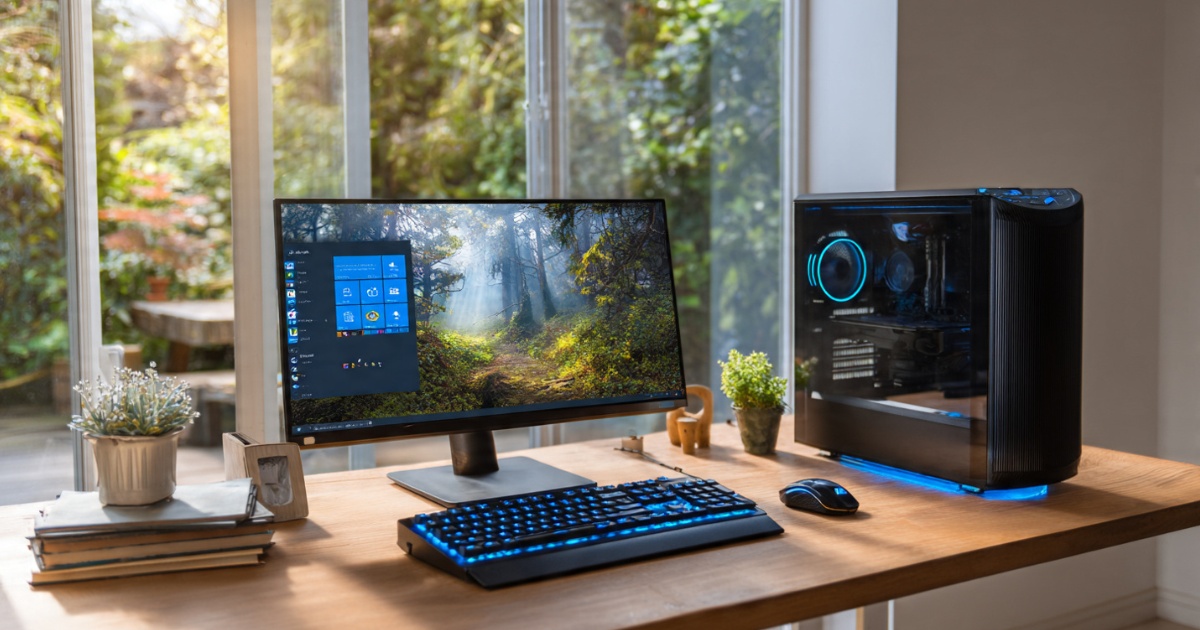
Best Budget Desktops: Affordable Performance That Actually Works
Look, I’ve built more “budget” desktop setups than I care to admit. Some were glorious. Others… well, let’s just say I learned why you shouldn’t cheap out on power supplies the hard way. That burnt electronics smell? Yeah, not fun.
Here’s the thing about budget desktops in 2026: you can actually get decent performance without selling a kidney. The gap between a $400 machine and a $1,200 one isn’t as massive as it used to be. But you need to know where to spend and where to save.
This article is part of our comprehensive guide on Computers, Laptops, and Accessories. For everything you need to know about desktop computing, check out the full guide.
What “Budget” Actually Means Now
When I say budget, I’m talking $350 to $700. That’s the sweet spot where you’re getting actual value, not just e-waste with a warranty.
Anything under $300? You’re probably looking at a Chromebox or something that’ll struggle with more than five browser tabs. Been there. My cousin bought one for “light work” and returned it three days later when it couldn’t handle Zoom calls without sounding like a helicopter taking off.
Between $700 and $1,000, you’re in the “really good budget” territory. This is where I’d put my own money if I needed a new daily driver and didn’t want to build it myself.
Why Desktops Beat Laptops for Budget Builds
Real talk: if you don’t need portability, a desktop wins every time in the budget category.
For the same $500, you’ll get:
- Better cooling (no throttling during longer tasks)
- Easier upgrades later
- More ports than you can shake a USB stick at
- A real keyboard and mouse (not those awful laptop keyboards)
I’ve got a detailed comparison in my Desktop vs Laptop article if you’re still deciding between the two.
The only time I’d pick a budget laptop over a desktop? If you’re a student who needs to move between dorm and library. Check out my Best Laptops for Students guide for those scenarios.
What You Actually Need (And What You Don’t)
For Basic Use (Web, Email, Documents):
- Any modern dual-core CPU from the last 3 years
- 8GB RAM minimum (16GB if you can swing it)
- 256GB SSD (seriously, no HDDs in 2026)
- Integrated graphics are fine
For Light Gaming or Photo Editing:
- Quad-core CPU (Intel i3-12100 or Ryzen 5 5600G)
- 16GB RAM
- 512GB SSD
- Dedicated GPU or strong integrated graphics
What You Don’t Need:
- RGB lighting (adds $50-100 for zero performance)
- Liquid cooling (air cooling is fine for budget builds)
- 32GB RAM unless you’re running VMs
- The latest generation CPU (last-gen is usually way cheaper)
My Top Budget Desktop Picks for 2026
Best Overall: HP Pavilion Desktop ($450-550)

I recommended this to my mom last year, and it’s still going strong. The newer models come with either an Intel Core i3-13100 or AMD Ryzen 5 5600G. Both are solid.
What I like:
- Comes with 16GB RAM standard now
- 512GB SSD (finally!)
- Decent upgrade path
- Doesn’t look like a spaceship
What’s annoying:
- Proprietary motherboard makes major upgrades harder
- Only one M.2 slot
For most people doing Zoom, browsing, and productivity work, this is it. Done. You won’t outgrow it for years.
Best for Light Gaming: Dell Inspiron Desktop ($600-700)
If you want to play some games without building your own rig, Dell’s mid-range Inspiron models are surprisingly competent.
The version with the Intel i5-13400 and NVIDIA GTX 1650 can handle:
- Fortnite at 1080p (60+ fps)
- Older AAA titles
- Photo editing without wanting to throw your mouse
I helped a friend set one up for his kid. Three months later, still no complaints. That’s basically a miracle for a pre-built gaming setup under $700.
Just make sure you’re getting the model with the dedicated GPU. Dell sells like eight different Inspiron configurations, and half of them only have integrated graphics.
If you’re more serious about gaming, check out my Gaming Desktops Explained article for what you actually need.
Best DIY Option: Custom AMD Ryzen Build ($500-650)
Okay, I know I said budget pre-builts, but if you’re even slightly comfortable with a screwdriver, building your own gives you way more bang for your buck.
A basic Ryzen 5 5600G build looks like:
- Ryzen 5 5600G ($130)
- B550 motherboard ($80)
- 16GB DDR4 RAM ($40)
- 500GB NVMe SSD ($35)
- 500W power supply ($45)
- Case ($50)
That’s around $380 before peripherals. Add a decent monitor and keyboard, and you’re still under $600.
The 5600G has integrated graphics that are honestly better than what you’ll find in most pre-builts at this price. I use one as my home server, and it handles Plex transcoding without breaking a sweat.
Storage: SSD or Bust
I’m just going to say it: if someone tries to sell you a desktop with only an HDD in 2026, run away.
SSDs are cheap now. Like, really cheap. A 500GB NVMe drive is $35. There’s zero excuse for HDDs in boot drives anymore.
That said, if you need a ton of storage for video files or game libraries, adding a secondary HDD makes sense. But your operating system and main programs? SSD only.
I’ve got a whole breakdown of different storage types in my Computer Storage Options guide if you want the technical details.
The Upgrade Path Nobody Talks About
Here’s what makes a budget desktop good: can you upgrade it later without replacing everything?
Good upgrade path:
- Standard ATX or Micro-ATX motherboard
- Accessible RAM slots
- Extra drive bays
- Standard power supply
Bad upgrade path:
- Proprietary motherboard (looking at you, Dell Optiplex)
- Soldered RAM
- Weird-sized power supplies
- No PCIe slots
Most HP and Dell budget models use proprietary parts. They’re fine if you never plan to upgrade. But if you want to add a better GPU in two years, you might be out of luck.
Common Budget Desktop Mistakes I’ve Seen
Buying used without checking specs: Someone tried to sell me a “gaming desktop” for $400 last month. It had a 2012 i5 and 4GB of RAM. That’s not budget. That’s garbage.
Skipping the warranty: Pre-builts come with warranties. Use them. My brother saved $50 buying from a sketchy seller on Facebook Marketplace. His motherboard died after two months. No warranty. $50 saved, $400 lost.
Not checking expandability: If it only has one RAM slot or no extra drive bays, you’re stuck with what you get. Always check before buying.
Overpaying for “gaming” branding: A red LED strip doesn’t make your CPU faster. Trust me.
What About Refurbished?
Honestly? Refurbished business desktops are a goldmine if you know what to look for.
Those old Dell Optiplex or HP EliteDesk machines that corporations dump after lease cycles? They’re built like tanks. You can grab a refurb with an i5-10500 and 16GB RAM for under $300 sometimes.
Throw in a cheap GPU, and you’ve got a decent gaming rig for $450 total.
The catch: they’re boring-looking, and upgrades can be tricky because of proprietary parts. But for basic use? They’re fantastic.
Monitors, Keyboards, Mice: The Hidden Costs
Budget for peripherals. Seriously.
A desktop is useless without a monitor. Add $100-150 for a basic 1080p display. Another $50-75 for a keyboard and mouse that won’t make you hate your life.
So that $500 desktop? You’re actually spending $650-725 for a complete setup.
Want to improve your setup comfort? Check out my Ergonomic Accessories for Computers guide. Your wrists will thank you.
My Actual Recommendation
If you just need a reliable computer for normal stuff: HP Pavilion Desktop at $500.
If you want to play some games: Dell Inspiron with GPU at $650.
If you’re comfortable building: Custom Ryzen 5 5600G build at $600 total with peripherals.
That’s it. Don’t overthink it.
And look, I get it. Tech specs are overwhelming. You see DDR4 vs DDR5, M.2 vs SATA, and your eyes glaze over. That’s fine. Stick to the recommendations above, and you’ll be good.
The biggest mistake people make with budget desktops? Not buying one at all because they’re paralyzed by options. A decent $500 desktop today is better than a theoretical “perfect” build you never actually buy.
Final Thoughts

Budget desktops in 2026 are surprisingly capable. You don’t need to spend $1,500 to get work done or browse the web without wanting to throw your computer out the window.
Just avoid the absolute cheapest options, make sure you’ve got an SSD, and think about whether you’ll want to upgrade later. That’s 90% of the decision right there.
And if you bought a budget desktop and want to make it faster? My Desktop Performance Optimization guide has a bunch of free tweaks that actually work.
Need more specific help choosing components? The main Computers, Laptops, and Accessories guide breaks everything down in more detail.
Now go build something. Or buy something. Whatever works for you.




2 Comments
Comments are closed.