Smartphones for Travelers: What Actually Works When You’re Abroad
Look, I’ve been stuck at Charles de Gaulle Airport at 2 AM with 3% battery and no working data plan more times than I’d like to admit. Last trip to Japan? My phone refused to connect to any local carrier for the first 12 hours. Fun times.
So yeah, I’ve got opinions about what makes a good travel phone. And spoiler: it’s not always the flagship everyone’s raving about.
Why Your Daily Driver Might Fail You Abroad
Here’s what nobody tells you until you’re standing in a foreign train station with Google Maps refusing to load: not all phones play nice with international networks.
I learned this the hard way in Thailand. My perfectly functional phone back home? Wouldn’t connect to any 4G network there. Turns out it was missing some key LTE bands that Southeast Asian carriers use. Spent three days relying on spotty 3G while my travel buddy’s “inferior” mid-range phone had perfect 5G coverage.
That was expensive lesson number one.
What Actually Matters in a Travel Phone
Forget the marketing fluff. After dozens of trips and way too many airport troubleshooting sessions, here’s what you really need:
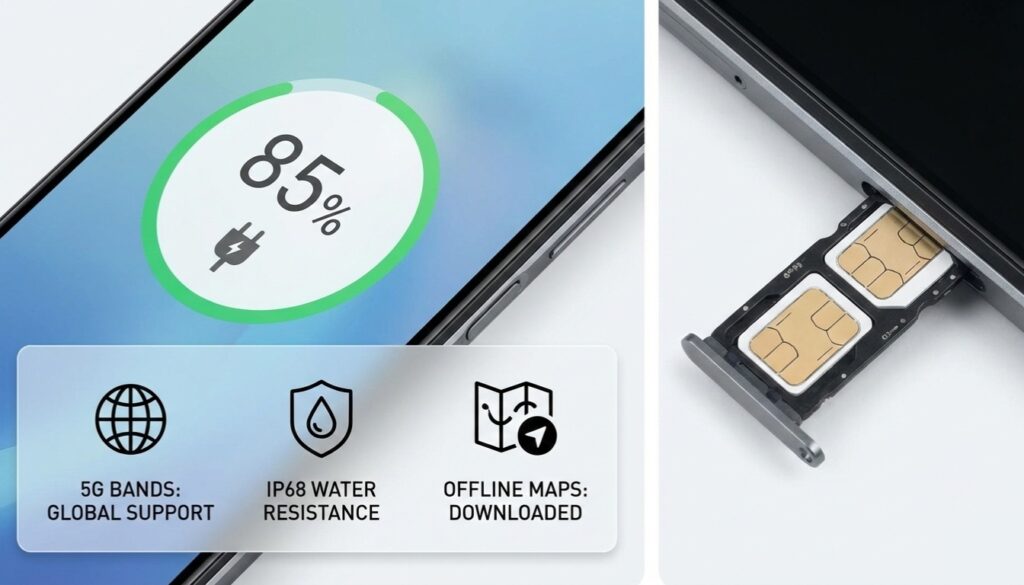
Dual SIM support – And I mean actual dual SIM, not that eSIM-only nonsense that doesn’t work with half the prepaid carriers worldwide. Physical SIM slots let you keep your home number active while using a local data SIM. Game changer for business travelers.
Global band support – This is the boring technical bit that’ll save your ass. Your phone needs to support the LTE and 5G bands used in the regions you’re visiting. Most modern flagships handle this, but budget phones? Hit or miss.
Battery life that actually lasts – Not “lasts all day with light use” but “survives 12 hours of Google Maps, constant photos, and frantic translation app usage.” Big difference.
Offline capabilities – When you inevitably end up somewhere with zero signal, can your phone still function? Offline maps, downloaded translations, cached information. This saved me multiple times in rural Iceland.
The Phones I’d Actually Recommend
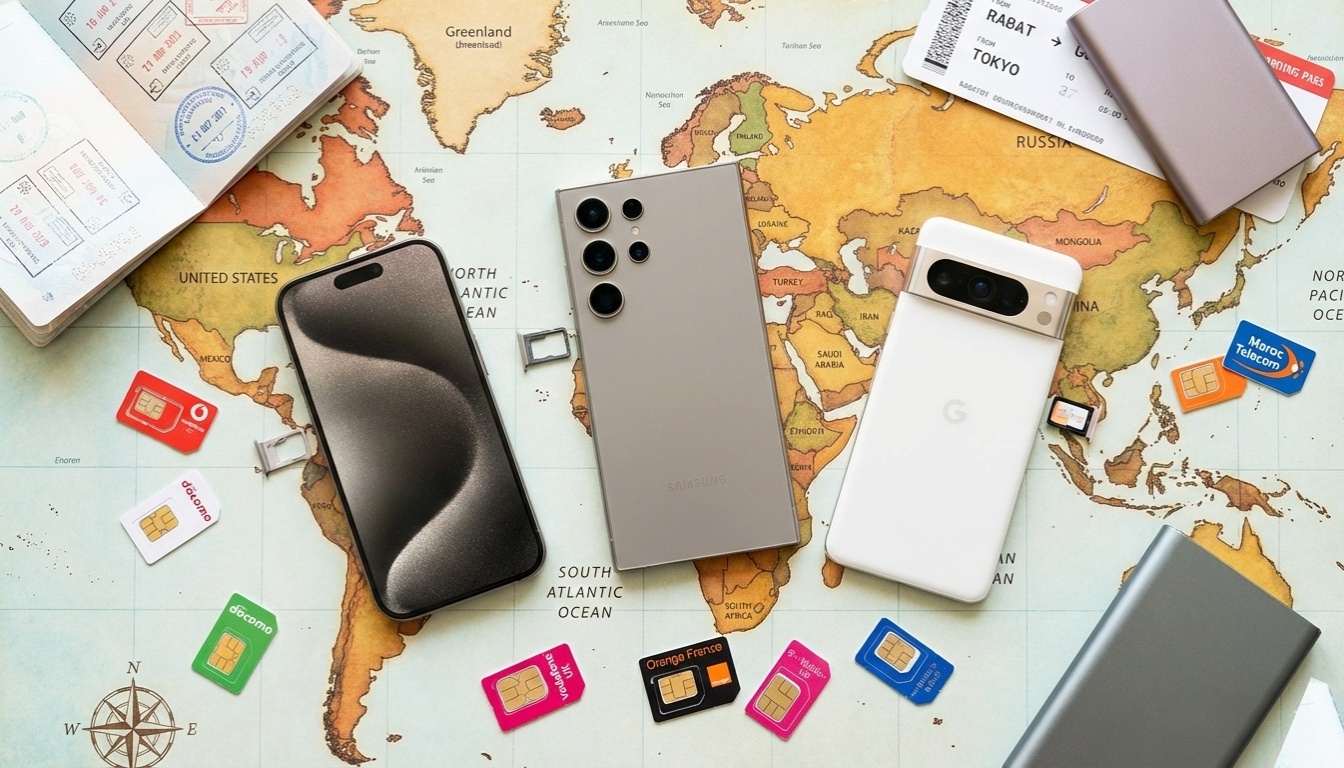
I’m not going to rank these like some sterile comparison chart. Instead, here’s what I’ve seen work in the real world:
Samsung Galaxy S24/S24+ – Yeah, it’s expensive. But it’s got the best band support I’ve tested, dual SIM works flawlessly, and the battery actually lasts through a full day of heavy travel use. I watched mine go from 100% to 40% during an 8-hour day in Barcelona with constant navigation and photos. That’s solid.
The camera’s great too, which matters when you’re trying to capture that perfect sunset in Santorini and only get one shot at it.
Google Pixel 8 Pro – The camera translation feature is legitimately useful. Point it at a restaurant menu in Korean and it translates in real-time through the viewfinder. Sounds gimmicky, worked better than I expected in Seoul last spring.
Battery life is just okay though. You’ll want a power bank.
iPhone 15 Pro/Pro Max – If you’re in the Apple ecosystem, the Pro Max’s battery life is hard to beat. But here’s the thing: eSIM support varies wildly by carrier and country. I spent 30 minutes at a carrier shop in Portugal trying to activate an eSIM before giving up and getting a physical SIM for my backup phone.
Works great if you stick to major cities and carriers that support eSIM. Otherwise, it’s frustrating.
OnePlus 12 – This is my dark horse pick. Costs half what the flagships do, has dual physical SIM slots, charges insanely fast (50% in 15 minutes saved me before a flight), and has band support for most major regions.
The camera isn’t flagship-level, but it’s perfectly fine for travel photos unless you’re a professional photographer.
Motorola Edge series – Hear me out. These mid-range phones have better international band support than they have any right to at their price point. I’ve seen budget travelers with these consistently get better network performance than people with $1000+ phones that weren’t configured right.
The Gotchas Nobody Mentions
Carrier locking is still a thing – That “great deal” on a carrier-subsidized phone? It might be locked to work only with that carrier, even abroad. Check this before you travel. I’ve seen people discover this at the airport. Not fun.
eSIM compatibility is a lottery – Your phone might support eSIM, but good luck getting it to work with every carrier. I’ve had eSIMs work perfectly in the UK and completely fail in Spain with the same carrier’s subsidiary. Physical SIMs just work.
Fast charging standards vary – Your phone might support 65W charging, but finding a compatible charger abroad? Different regions use different fast charging standards. Bring your own charger or accept that “fast” charging might not be so fast.
Some countries block features – China blocks Google services. Your Android phone works, but Maps, Gmail, and the Play Store don’t (without a VPN). That Pixel with its awesome Google integration? Less awesome there.
Real Travel Scenarios
Let me paint you some pictures:
Multi-country Europe trip – You need dual SIM so you can use different local carriers as you hop borders. Roaming fees are better than they used to be in the EU, but not everywhere honors them perfectly. Physical SIM slots let you adapt.
Japan/Korea – 5G coverage is insane there, but you need the right bands. Most newer phones handle this fine, but check specifically for Band 1, 3, and 28 for Japan.
Developing countries – Network coverage can be spotty. A phone with good 3G fallback and dual SIM support lets you switch carriers on the fly. This saved me in rural parts of Vietnam where one carrier had coverage and the other didn’t.
Cruise ships – Ship WiFi is terrible and expensive. A phone with good offline capability and enough storage for downloaded content is essential. Also, pro tip: international roaming doesn’t work at sea. You’ll pay ship rates regardless.
Battery Life Reality Check
I track this obsessively because I’ve been burned. Here’s what “all day battery” actually means when traveling:
- 4 hours of active navigation
- 200+ photos taken
- Constant messaging/email checking
- Some music streaming
- Frequent WiFi network switching
Under this load, most phones last 8-10 hours. The ones with 5000mAh+ batteries might stretch to 12 hours. Plan accordingly. A small power bank (10,000mAh) is non-negotiable in my travel kit.
The Features That Actually Help
Offline maps – Google Maps lets you download entire cities. Do this on WiFi before you leave. Saved me countless times.
Translation apps with offline mode – Google Translate lets you download language packs. These work without internet and are shockingly accurate for basic stuff.
International warranty – Something I learned after cracking my screen in Budapest: check if your phone’s warranty is valid internationally. Apple and Samsung generally are. Others? Sometimes yes, sometimes no.
Water resistance – Sounds obvious, but IP68 rating has saved my phone from surprise rainstorms in tropical countries multiple times.
My Current Setup
For longer trips, I bring two phones. Sounds excessive, but hear me out:
Primary: Samsung Galaxy S24+ with my home SIM and enough space for all my photos and apps.
Backup: Whatever decent dual-SIM phone I can find cheap (currently a OnePlus Nord). Gets a local data SIM, serves as a backup if my primary dies, and acts as a WiFi hotspot for my laptop.
This redundancy saved me in Morocco when my main phone’s charging port failed. Could still work for three days using just the backup.
Common Mistakes I See
Assuming your carrier’s international plan is good – It’s usually terrible. $10/day for slow data that barely works. Get a local SIM instead. Most airports have carrier kiosks that’ll set you up in 10 minutes.
Not enabling WiFi calling before leaving – Set this up while still on your home network. It lets you make calls over WiFi using your regular number. Essential for that emergency call home when you have zero cellular signal but hotel WiFi.
Forgetting to check voltage – Most phone chargers are 100-240V compatible now, but check. Also grab a universal travel adapter, not just a plug converter.
Not backing up photos regularly – Your phone will eventually run out of space. Cloud backup over WiFi or copying to a laptop nightly. Lost a whole day of Venice photos once because I didn’t do this and the phone glitched. Still salty about it.
What About 5G?
Real talk: 5G is nice when available, but 4G is perfectly fine for travel. Don’t make 5G support your primary decision factor. Coverage is still spotty in many places, and it drains battery faster.
I’ve traveled to places with great 5G coverage and honestly didn’t notice much difference from good 4G for typical travel tasks like maps and messaging.
Software Updates Matter
This bit’s boring but important: a phone that gets regular security updates is crucial when you’re connecting to random WiFi networks at hotels and cafes.
Google Pixels get updates the longest (7 years now for the Pixel 8). Samsung’s commitment is pretty good too (4-5 years). Budget phones? Good luck getting updates after a year or two.
The Bottom Line
You don’t need the most expensive phone for travel. You need one with the right features: dual SIM support, good battery life, broad band compatibility, and reliable build quality.
My personal take? The OnePlus 12 or Samsung S24 hits the sweet spot for most travelers. But if you’re already in the Apple ecosystem and primarily visit major cities, the iPhone 15 Pro Max works great.
Whatever you choose, test it before you leave. Pop in a prepaid SIM at home, make sure everything works, and download offline maps and translation packs. The hour you spend prepping will save you hours of frustration abroad.
And for the love of all that’s holy, bring a power bank. Trust me on this one.
This article is part of our comprehensive guide on Smartphones and Mobile Technology. For more insights on choosing the right phone, check out our Smartphone Buying Guide and Best Budget Smartphones. If you’re curious about the latest releases, don’t miss our guide on Upcoming Smartphone Releases.