

Desktop vs Laptop: Which to Choose
This article is part of our comprehensive guide on Computers, Laptops, and Accessories. For everything you need to know about computing hardware, visit the full guide.
I’ve owned seven laptops and four desktop PCs in the last decade. You know what I learned? The answer to “desktop or laptop?” isn’t what tech forums will tell you.
It’s not about specs. It’s about how you actually work.
Last year, I bought a $2,000 gaming laptop because I wanted the “flexibility” to work anywhere. Three months later, it sat on my desk 95% of the time, plugged into an external monitor, keyboard, and mouse. I basically built the world’s most expensive desktop with terrible thermals.
Don’t make my mistake. Let’s talk about what actually matters when you’re choosing between these two.
The Real Performance Gap Nobody Talks About
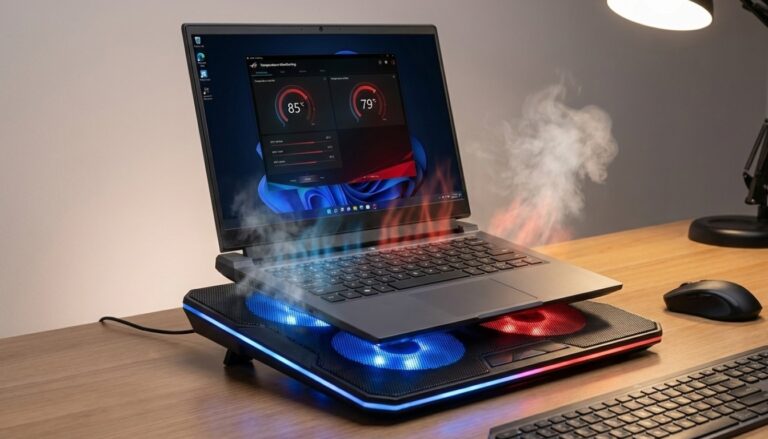
Here’s what the laptop reviews won’t tell you: thermal throttling is real, and it’s annoying as hell.
A desktop CPU can sustain max performance for hours because it has proper cooling. Tower cases have space for big heatsinks and multiple fans. My desktop’s CPU runs at 65°C under full load.
Laptops? They hit thermal limits fast. I’ve watched my laptop CPU throttle from 4.5GHz down to 2.8GHz after just 20 minutes of compiling code. That $1,500 mobile processor performs like a $300 desktop chip when things heat up.
Gaming desktops are even more dramatic. A desktop RTX 4070 will consistently outperform a laptop RTX 4080 because the laptop version has to run at lower power limits to avoid melting itself. If you’re serious about gaming performance, check out our gaming desktops guide for the real differences.
But. And this is important.
For 80% of work tasks (writing, browsing, spreadsheets, video calls), you won’t notice the difference. Modern laptops are plenty fast for normal people stuff. I’m talking about sustained heavy workloads here.
Portability: Do You Actually Need It?
Be honest with yourself. How often do you really work from different locations?
I thought I’d be that digital nomad, working from coffee shops and coworking spaces. Reality? My back hurt after two hours on a coffee shop chair, the WiFi was sketchy, and I spent more time looking for outlets than writing code.
Most people fall into one of these categories:
You need a laptop if:
- You travel for work regularly (like, actually get on planes)
- You’re a student carrying gear between classes
- You work from multiple client sites
- Your living situation is temporary or shared
- You genuinely do productive work in different rooms
You can get away with a desktop if:
- You have a dedicated workspace at home
- You don’t travel for work
- You need maximum performance per dollar
- You want easy upgrades down the road
- You already have a cheap laptop for travel emergencies
I’ve got both now. Desktop for real work, old laptop for travel. Costs less than one high-end laptop and works better.
The Cost Reality Check
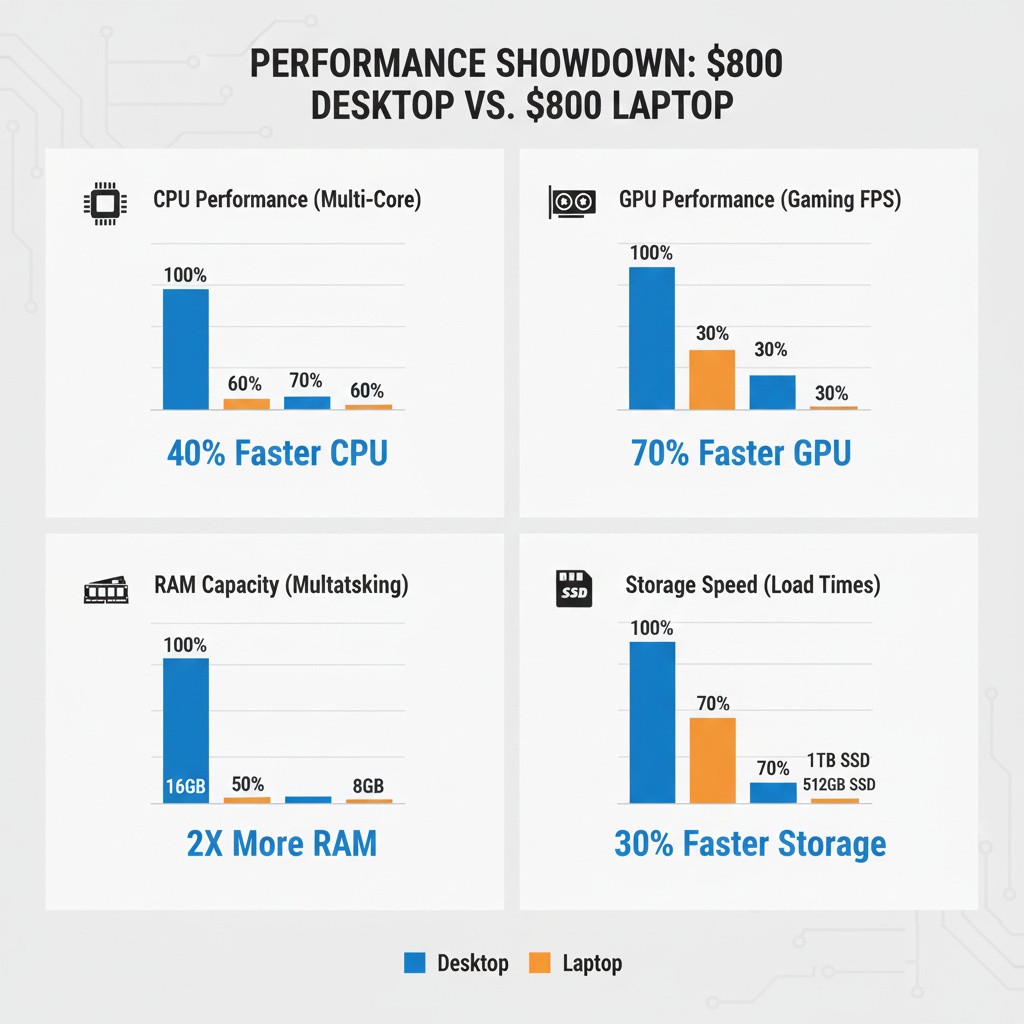
This is where desktops destroy laptops, and I mean destroy.
For $1,000, you can build a desktop that’ll outperform a $1,500 laptop. Easy. The performance-per-dollar gap is huge, especially at the budget end.
I specced out two systems last month:
$800 Desktop:
- Ryzen 7 processor
- 32GB RAM
- 1TB NVMe SSD
- Decent GPU
- Room to upgrade everything
$800 Laptop:
- Ryzen 5 processor (weaker)
- 16GB RAM (probably soldered, can’t upgrade)
- 512GB SSD
- Integrated graphics
- What you buy is what you get forever
The laptop has a screen, keyboard, and battery built in. That’s the premium you’re paying. But if you’re working from a desk anyway, you’ll probably buy an external monitor and keyboard. Now you’re spending $1,000+ for the laptop setup.
Check out our best budget desktops guide if you want to see what’s actually possible at different price points.
Upgrade Path: The Five-Year Test
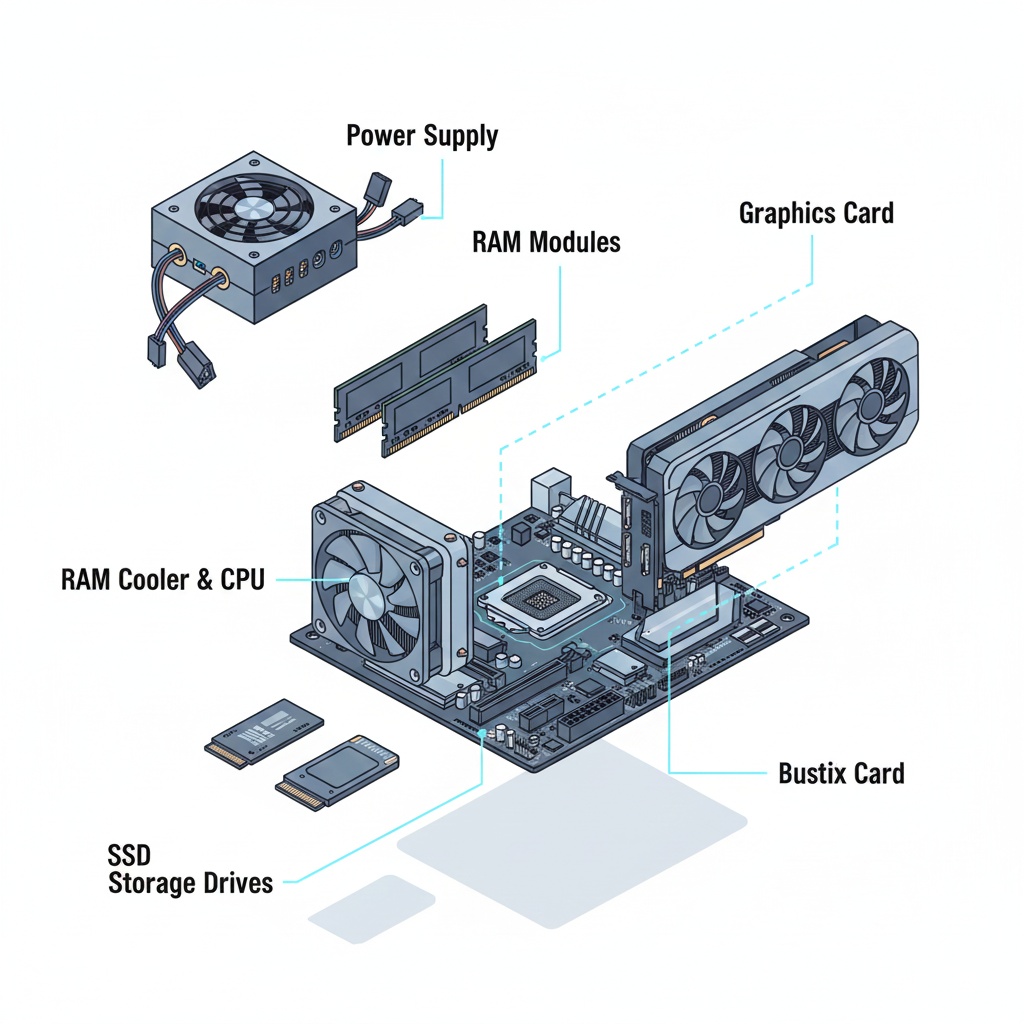
Here’s something that bit me hard. Laptops are basically disposable now.
My 2020 laptop has soldered RAM and a soldered SSD. When I needed more storage, too bad. When I wanted to add RAM for running VMs, too bad. The battery’s dying now, and replacing it costs $300 plus labor.
My desktop from the same year? I’ve upgraded the GPU twice, added more RAM, swapped in a bigger SSD, and it’s still going strong. Each upgrade cost less than fixing that laptop battery.
What you can upgrade in a desktop:
- GPU (better graphics, better performance)
- RAM (more of it, faster speeds)
- Storage (add drives, swap for bigger ones)
- CPU (if motherboard supports it)
- Cooling (better temps, less noise)
- Power supply (for more powerful components)
What you can upgrade in a laptop:
- Storage, maybe (if it’s not soldered)
- RAM, maybe (if it’s not soldered)
- Battery, expensively (and probably breaking warranty seals)
If you keep computers for 3+ years, the desktop pays for itself in upgrade flexibility alone.
The Desk Setup Reality
Something nobody mentions: if you’re working from a desk with a laptop, you’re basically using it as a really cramped desktop anyway.
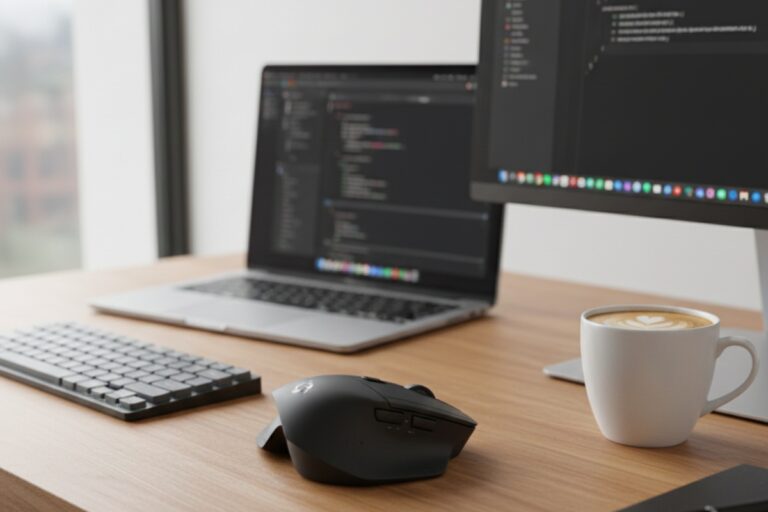
I see this everywhere. Laptop on desk, external monitor plugged in, external keyboard, external mouse, USB hub for more ports. You’re paying laptop prices for desktop comfort. The laptop screen sits there unused or becomes a second monitor you crane your neck to look at.
If this is your setup, seriously consider just getting a desktop. You’ll save money and get better performance. Keep an old cheap laptop in the closet for the twice-a-year trips you actually need portability.
For programmers specifically (and I know there’s a lot of you reading this), a desktop makes even more sense. Running Docker containers, compiling code, running local databases, those tasks eat resources. Check out our guide on the best laptops for programmers if you absolutely need the portability, but understand you’re making a trade-off.
Power, Heat, and Noise
Desktop under my desk: quiet hum, barely noticeable.
Laptop under load: sounds like a small jet engine preparing for takeoff.
This matters if you take video calls or record anything. My laptop’s fans are loud enough to pick up on Zoom calls, even with noise cancellation on. Embarrassing when you’re trying to sound professional.
Power consumption? Desktop uses more electricity, sure. But we’re talking maybe $5-10 extra per month unless you’re running it 24/7 for intensive tasks. The cooling situation is way better though. My office stays cooler with the desktop than it did with the laptop, weirdly enough.
When Laptops Actually Win
Look, I’m not anti-laptop. There are legit reasons to choose one.
Laptops make sense when:
- Space is actually limited (tiny apartment, shared room)
- You move between locations daily (not weekly, daily)
- You present to clients and need your machine with you
- You’re traveling long-term or frequently
- The portability premium is worth it for your lifestyle
- You need a machine for school/work that moves with you
I spent four years in college hauling a laptop to classes. That was the right call. But now that I work from home? The desktop life is so much better.
My Actual Recommendation
Here’s what I tell people when they ask me this question:
Get a desktop if you can. Put that saved money into a better monitor, a good keyboard, and maybe a basic laptop for travel emergencies. A $600 desktop + $200 budget laptop beats a single $1,200 laptop for most people.
But if you genuinely need portability more than three times a week, or if you don’t have space for a desktop, then get a good laptop. Just don’t buy more performance than you need. Laptop performance optimization matters more than raw specs anyway.
The worst choice? Buying a high-end gaming laptop to use as a desktop. That’s paying maximum money for compromise performance with added noise and heat. Either get a desktop or get a more reasonable laptop.
The Bottom Line
I’ve been building and buying computers for years now, and here’s the honest truth: most people would be happier with a desktop.
The only reason more people don’t realize this is that laptops are more visible in marketing. You see them in coffee shops, in ads, on TV shows. Desktops feel old-school. But old-school sometimes means “works better and costs less.”
Think hard about how you actually work, not how you imagine you might work someday. That fantasy of coding on the beach or working from that cool coffee shop downtown? Yeah, I had that fantasy too. Reality is usually less glamorous and more practical.
If you work from home, get a desktop. If you truly need to be mobile, get a laptop. And if you can’t decide, get a cheap desktop and keep your old laptop around.
You’ll thank me when you’re not replacing a $1,500 laptop because the battery died or the RAM isn’t enough anymore.
For more in-depth guides on choosing the perfect computing setup for your needs, check out our complete Computers, Laptops, and Accessories guide.


2 Comments
Comments are closed.