

Best Note-Taking Apps for Professionals: What Actually Works in 2025
I switched note-taking apps four times last year. Four. Each time I thought I’d found “the one,” and each time I ended up crawling back to my old setup or trying something new entirely.
Here’s the thing about professional note-taking: what works for a college student cramming for exams doesn’t work when you’re juggling client meetings, project specs, and that random conversation with your boss at 4:45 PM on a Friday. You need something that won’t let you down when you’re searching for “that thing Sarah mentioned three weeks ago about the Q4 budget.”
So after burning through Notion, Obsidian, OneNote, and a bunch of others, I’ve got some opinions. Let me save you the trial-and-error phase.
Why Most Note Apps Fail Professionals
Before we get into what works, let’s talk about what doesn’t.
The problem with most note-taking apps is they’re built for either personal journaling or academic use. They assume you’ve got time to organize everything perfectly, tag it with five different labels, and create a beautiful linked knowledge base.
Real talk: when you’re in back-to-back meetings, you don’t have time for that. You need to capture information fast, find it later without thinking, and ideally have it sync before your laptop dies mid-meeting.
I learned this the hard way when I lost an entire client meeting’s worth of notes because my “lightweight” note app decided to sync… eventually. That was a fun email to send: “Hey, can you repeat everything you said for 45 minutes?”
What Professional Note-Taking Actually Requires
After using these tools in actual work scenarios (not just testing them for an hour), here’s what matters:
Speed matters more than features. If it takes three clicks to create a new note, you’ll miss half of what’s being said. I need one shortcut, new note, start typing.
Search has to be bulletproof. I don’t care how elegant your folder structure is when I’m trying to find notes from “that meeting about the API redesign” and I can’t remember if I filed it under Projects, Clients, or Random Wednesday Meetings.
Mobile can’t be an afterthought. I’ve had too many moments of “let me just check my notes” while standing in a hallway, only to find the mobile app is basically unusable. If your app doesn’t work well on a phone, it’s not a professional tool.
Offline mode isn’t optional. Conference centers have terrible WiFi. Client offices have guest networks that block everything. Airplanes exist. If your notes disappear when the internet hiccups, we’ve got a problem.
The Apps That Actually Hold Up
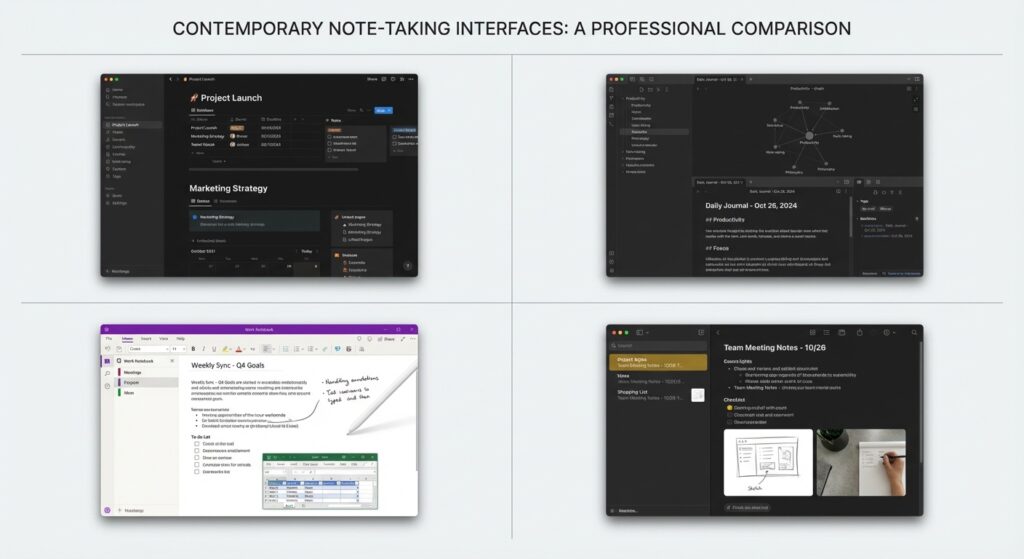
Notion: The Swiss Army Knife (That’s Sometimes Too Sharp)
I used Notion as my primary system for about 18 months. It’s powerful, flexible, and everyone in tech seems to use it.
What works: The database features are genuinely useful for professional work. I built a meeting notes template that automatically linked to project pages, tagged attendees, and created follow-up tasks. When it works, it feels like magic.
What doesn’t: It’s slow. Not “slightly sluggish” slow, but “why is it taking 3 seconds to load a text note” slow. And the offline mode is… optimistic. I’ve lost notes because I didn’t realize I was offline and kept typing into what I thought was a synced page.
Best for: People who need databases and don’t mind the learning curve. If you’re managing multiple projects with lots of interconnected information, Notion’s structure helps. Just don’t expect it to be fast.
Obsidian: For the Power Users
Obsidian is what I switched to when Notion’s performance started driving me nuts. It’s markdown-based, stores everything as local files, and has a plugin ecosystem that’s honestly kind of wild.
What works: It’s fast. Like, really fast. And because it’s just markdown files on your computer, you own your data. No vendor lock-in, no “sorry our servers are down” messages. The linking between notes is powerful once you get used to it.
What doesn’t: The learning curve is steep. I spent a week configuring plugins before I had something that felt usable. And the mobile app, while functional, isn’t as polished as the desktop version.
Best for: Technical professionals who like customization and don’t mind tinkering. If you’ve ever configured vim, you’ll probably love Obsidian.
Microsoft OneNote: The Reliable Workhorse
I keep coming back to OneNote. It’s not sexy, it’s not the cool kid at the productivity app party, but it just… works.
What works: The free-form canvas is great for meetings where you need to sketch diagrams or paste screenshots alongside text. The search is solid, the syncing is reliable, and it’s already installed on most work computers. No explaining to IT why you need access to another cloud service.
What doesn’t: The organization can get messy fast. I’ve got notebooks with sections with pages with subpages, and sometimes I forget where I put things. And it’s not great for plain text or code snippets.
Best for: People who want reliable, no-fuss note-taking that integrates with Microsoft 365. If your company uses Teams and Outlook, OneNote slots in perfectly.
Apple Notes: Underrated and Fast
If you’re in the Apple ecosystem, don’t sleep on Apple Notes. I dismissed it for years as “too simple,” then actually tried using it for a month.
What works: It’s stupid fast. Open, type, done. The search is surprisingly good, and the scanning features are excellent for capturing whiteboards or documents. iCloud sync works seamlessly across devices.
What doesn’t: Limited formatting options and no real organization beyond folders. If you need complex linking or databases, look elsewhere. Also, obviously, it locks you into Apple devices.
Best for: Apple users who value speed over complexity. If you mostly need to capture text and images quickly, it’s hard to beat.
Evernote: The Comeback Kid (Maybe?)
Evernote used to be the default answer for professional note-taking. Then they stumbled hard with pricing changes and performance issues. But they’ve been rebuilding, and the current version is actually decent.
What works: The web clipper is still best-in-class if you need to save articles or research. Cross-platform support is solid, and the search can handle PDFs and images.
What doesn’t: The free tier is extremely limited now. And honestly, it still feels like it’s trying to rediscover what made it good in the first place.
Best for: People who already have years of notes in Evernote and need the web clipper. Otherwise, there are better options.
What I Actually Use (Right Now)
After all that testing, I’m currently using a hybrid setup:
- Obsidian for project notes and anything I need to reference long-term
- Apple Notes for quick captures during meetings
- OneNote for collaborative notes with my team
Is this optimal? Probably not. But it works because I’ve accepted that no single app does everything perfectly.
The Real Answer: It Depends on Your Workflow
I know that’s a frustrating answer, but it’s true. The “best” note-taking app for a professional depends on:
Your meeting style. If you’re mostly listening and capturing action items, you need something fast and simple. If you’re sketching diagrams and organizing complex information, you need more features.
Your company’s ecosystem. If everyone uses Microsoft 365, fighting that with a third-party app is exhausting. If you’re at a startup with flexible tooling, you’ve got more options.
Your organization habits. Some people thrive with rigid folder structures. Others need flexible linking and search. Neither is wrong, but it affects which tool fits.
Common Mistakes I’ve Made (So You Don’t Have To)
Overcomplicating the system. I spent three days building an elaborate Notion template with linked databases and custom properties. Used it for two weeks before abandoning it because it was too much friction.
Ignoring mobile performance. Tested an app on desktop, loved it, then tried to use it on my phone during a meeting. Disaster.
Not having a backup plan. That note app that seemed rock-solid? Yeah, it can still lose data. Export your notes periodically or use something that stores locally.
Switching apps too often. Every switch means migrating notes, relearning shortcuts, and losing momentum. Pick something good enough and stick with it for at least three months.
Making Any App Work Better
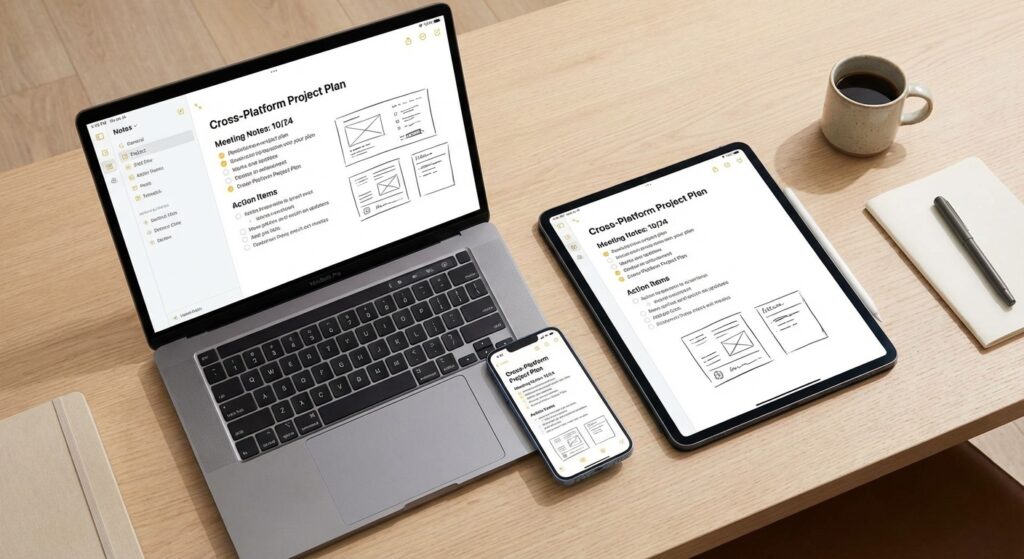
Regardless of which app you choose, these practices help:
Use templates for recurring meeting types. One-on-ones, project kickoffs, client calls—they all follow similar patterns. Create templates so you’re not starting from scratch.
Date everything. Future you will thank current you. I use “2025-01-17” format because it sorts chronologically.
Review weekly. I spend 15 minutes every Friday cleaning up notes, moving action items to my task manager, and archiving what’s done. Otherwise, it becomes a graveyard of half-finished thoughts.
Keep it simple at first. Start with basic notes. Add complexity only when you’ve actually felt the pain of not having a feature.
The Bottom Line
The best note-taking app for professionals is the one you’ll actually use consistently. That sounds like a cop-out, but I’m serious.
I’ve seen people do amazing work with simple text files. I’ve seen people struggle with feature-rich apps because they spent more time organizing than working.
Start with whatever’s already on your computer. Use it for two weeks. If it’s driving you crazy, try one of the apps I mentioned. But don’t spend more time evaluating tools than actually taking notes.
Because here’s the truth nobody mentions: the app matters way less than the habit. Better notes in a mediocre app beats perfect organization in an app you don’t open.
Now if you’ll excuse me, I need to find those notes from last Tuesday’s meeting. Pretty sure I put them… somewhere.
This article is part of our comprehensive guide on Software, Apps, and Productivity Tools. For more insights on productivity tools, check out our guides on Note-Taking Apps Guide, Task Management Apps, and Best Productivity Apps 2025.





One Comment
Comments are closed.